> For the complete documentation index, see [llms.txt](https://docs.console.zenlayer.com/api-reference/llms.txt). Markdown versions of documentation pages are available by appending `.md` to page URLs; this page is available as [Markdown](https://docs.console.zenlayer.com/api-reference/api-introduction/instruction/authorization/token.md).
# Access Token
When using the Zenlayer APIs or command line, you can use an access token as an alternative to an access key for authentication with Zenlayer Cloud.
An access token, also referred to as a "token," is a piece of data, often in the form of a string, that serves as a digital credential. It is used to authenticate and authorize an entity, such as a user, application, or system, to access specific resources or perform certain actions in a secure environment.
A token mainly includes information about the entity's identity, permissions, and expiration time and is securely transmitted to validate requests.
{% hint style="warning" %} **ATTENTION**
Your access token is confidential!
Do not share it with others or expose it in any client-side code (browsers or applications). Production requests must be routed through your own backend server, where your access token can be securely loaded from environment variables or a key management service.
{% endhint %}
## Create a Token
{% stepper %}
{% step %}
**Go to** [**zenConsole**](https://console.zenlayer.com/) **>**  **> Member & Permission > Authentication >** [**Token**](https://console.zenlayer.com/accessToken?query=pageNum%3D1%26pageSize%3D20) **> Create Token.**
{% endstep %}
{% step %}
**Configure your token**
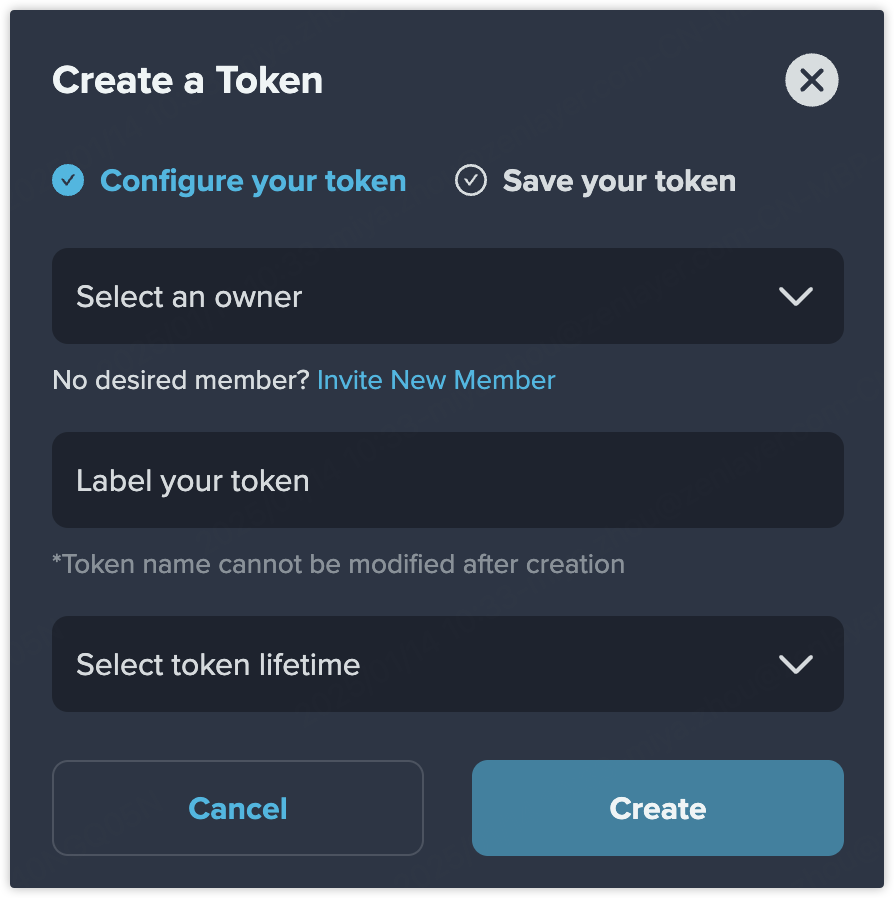
1. Select the owner of your token. If no desired member, click [**Invite New Member**](https://docs.console.zenlayer.com/welcome/platform/team-management/invite-a-member) to add a member.
2. Label your token. Please note that the token name cannot be changed after creation.
3. Configure the lifetime of your token. 7/30/60/90 days and customized time range are available.\
You can also set a long-lived token, but we recommend to set an expiration date for your token to improve security.
4. Click **Create** to generate a token.
{% endstep %}
{% step %}
**Save your token**
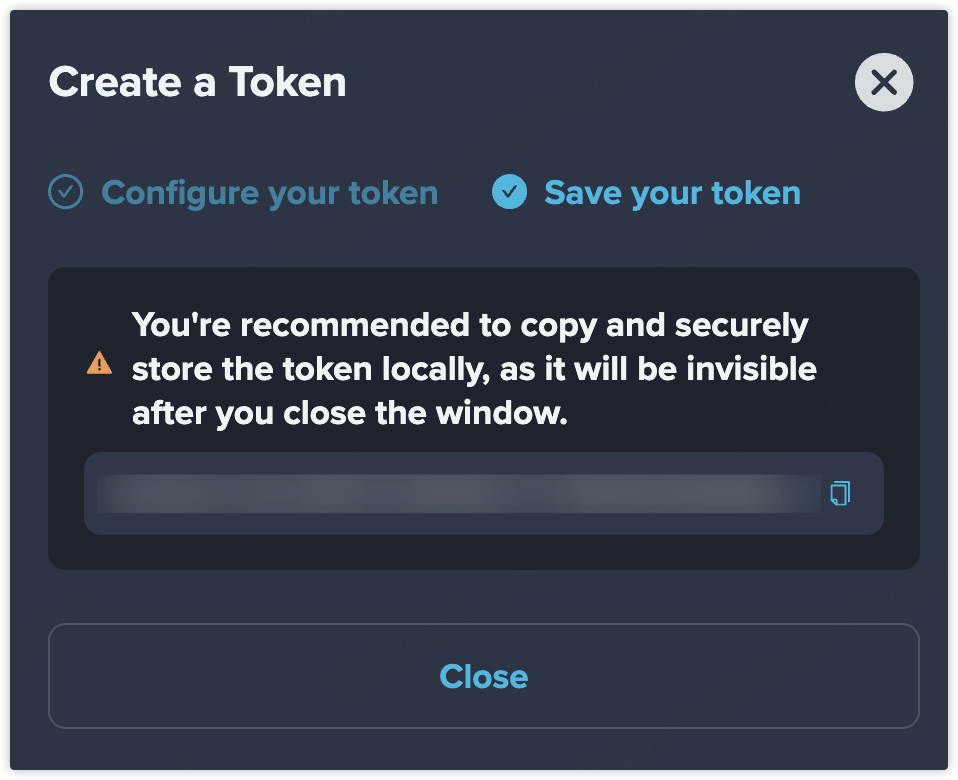
Copy and securely store the token just created locally.
{% endstep %}
{% step %}
**Result**
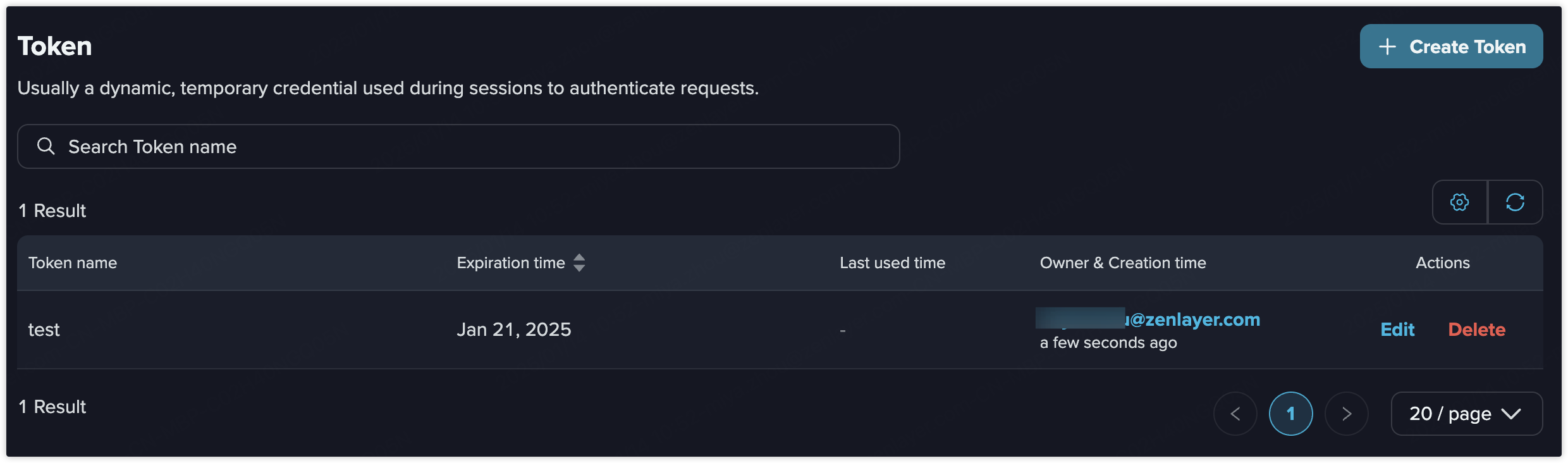
In the token list page, you can view basic information of your token. Support editing the token's lifetime.
{% endstep %}
{% endstepper %}
## Use a Token
After creating a token, you can authenticate requests by including the token in the `Authorization` header of your request.
The following is an example of using cURL to access the `DescribeInstances` API of Bare Metal:
```url
export ACCESS_TOKEN="your_user_access_token"
curl https://console.zenlayer.com/api/v2/bmc \
-H "Content-Type: application/json" \
-H "X-ZC-Action: DescribeInstances" \
-H "Authorization: Bearer $ACCESS_TOKEN" \
-d '{
"pageNum": 1,
"pageSize": 2
}'
```
**> Member & Permission > Authentication >** [**Token**](https://console.zenlayer.com/accessToken?query=pageNum%3D1%26pageSize%3D20) **> Create Token.**
{% endstep %}
{% step %}
**Configure your token**
1. Select the owner of your token. If no desired member, click [**Invite New Member**](https://docs.console.zenlayer.com/welcome/platform/team-management/invite-a-member) to add a member.
2. Label your token. Please note that the token name cannot be changed after creation.
3. Configure the lifetime of your token. 7/30/60/90 days and customized time range are available.\
You can also set a long-lived token, but we recommend to set an expiration date for your token to improve security.
4. Click **Create** to generate a token.
{% endstep %}
{% step %}
**Save your token**
Copy and securely store the token just created locally.
{% endstep %}
{% step %}
**Result**
In the token list page, you can view basic information of your token. Support editing the token's lifetime.
{% endstep %}
{% endstepper %}
## Use a Token
After creating a token, you can authenticate requests by including the token in the `Authorization` header of your request.
The following is an example of using cURL to access the `DescribeInstances` API of Bare Metal:
```url
export ACCESS_TOKEN="your_user_access_token"
curl https://console.zenlayer.com/api/v2/bmc \
-H "Content-Type: application/json" \
-H "X-ZC-Action: DescribeInstances" \
-H "Authorization: Bearer $ACCESS_TOKEN" \
-d '{
"pageNum": 1,
"pageSize": 2
}'
```