> For the complete documentation index, see [llms.txt](https://docs.console.zenlayer.com/welcome/llms.txt). Markdown versions of documentation pages are available by appending `.md` to page URLs; this page is available as [Markdown](https://docs.console.zenlayer.com/welcome/ai-gateway/ai-gateway-integration/cherry-studio.md).
# Cherry Studio
Cherry Studio is a desktop client that supports multiple LLM providers, available on Windows, Mac and Linux. You can view [**GitHub**](https://github.com/CherryHQ/cherry-studio) for more details about installation and API integration.
## API Endpoint Management
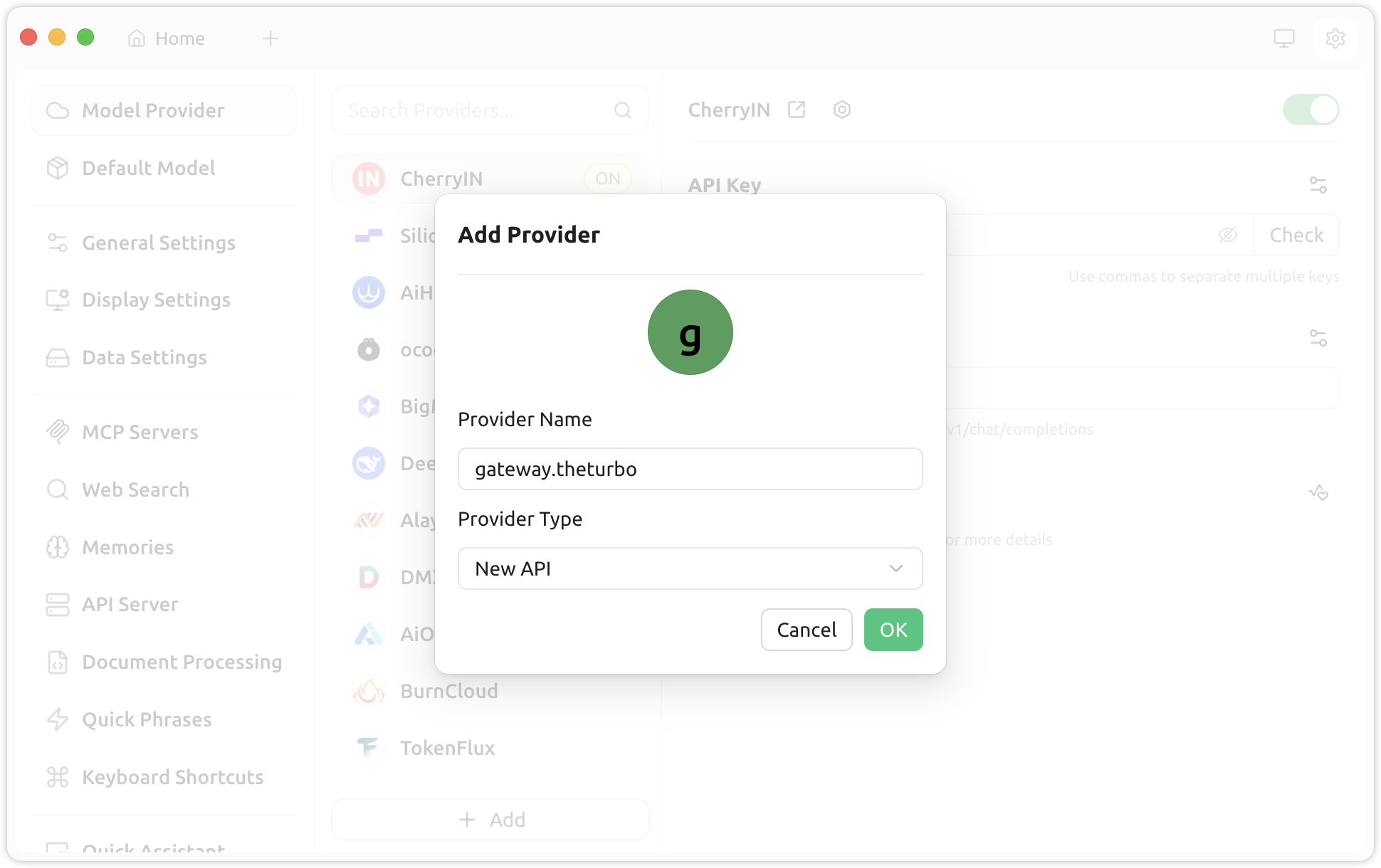
1. Navigate to **Settings > Model Provider > Add**.
2. Enter `gateway.theturbo` as the **Provider Name**, and **New** **API** as the **Provider Type**.
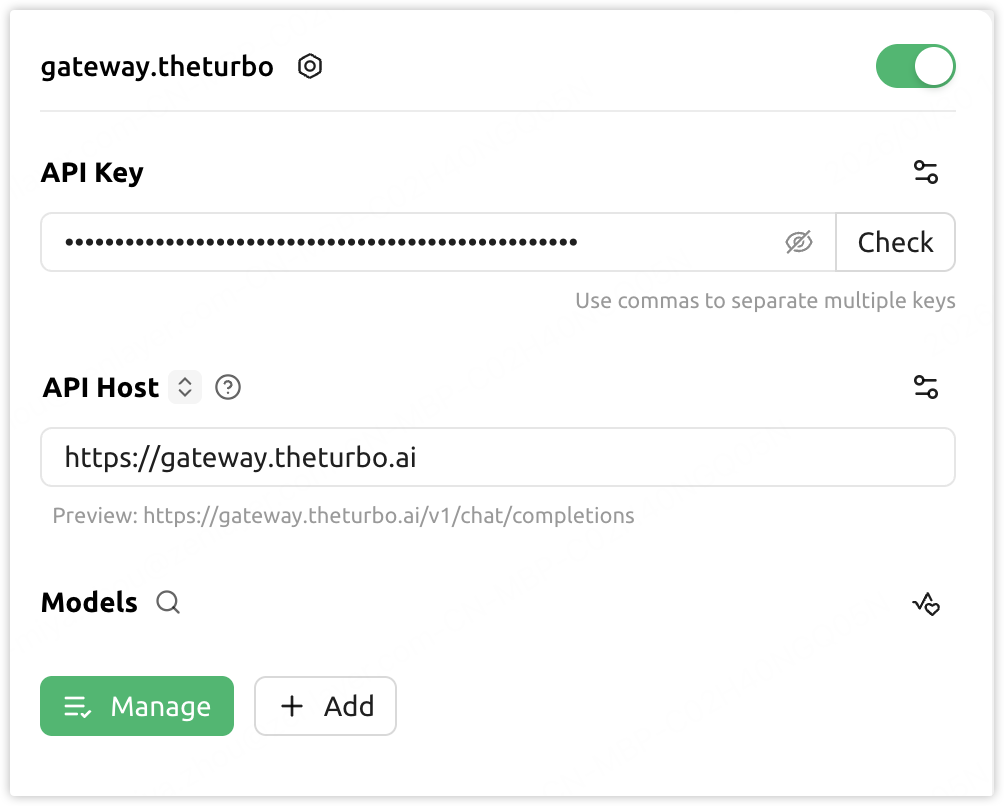
3. Enter `https://gateway.theturbo.ai` as the **API Host**, and provide the **API Key** generated after creating an AI Gateway instance.
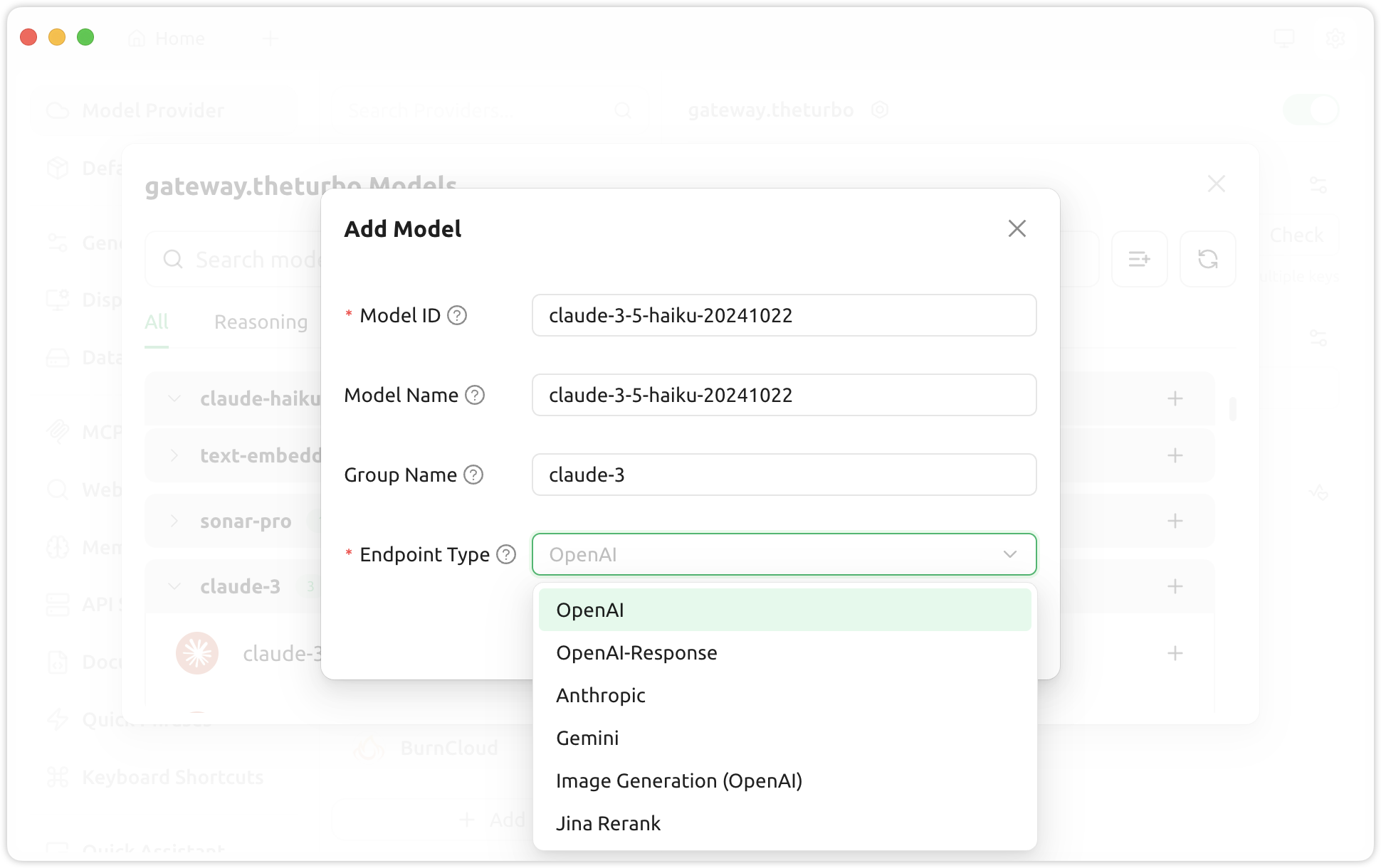
4. Click ***Manage*** to add or remove models.