> For the complete documentation index, see [llms.txt](https://docs.console.zenlayer.com/welcome/llms.txt). Markdown versions of documentation pages are available by appending `.md` to page URLs; this page is available as [Markdown](https://docs.console.zenlayer.com/welcome/cloud-networking/get-started/create-a-layer-2-connection/select-an-ix-connect-as-access-point.md).
# Select an IX Connect as Access Point
The following configurations are applicable to IX Connect connection. You can connect the IX Connect to a data center port.
## Background Information
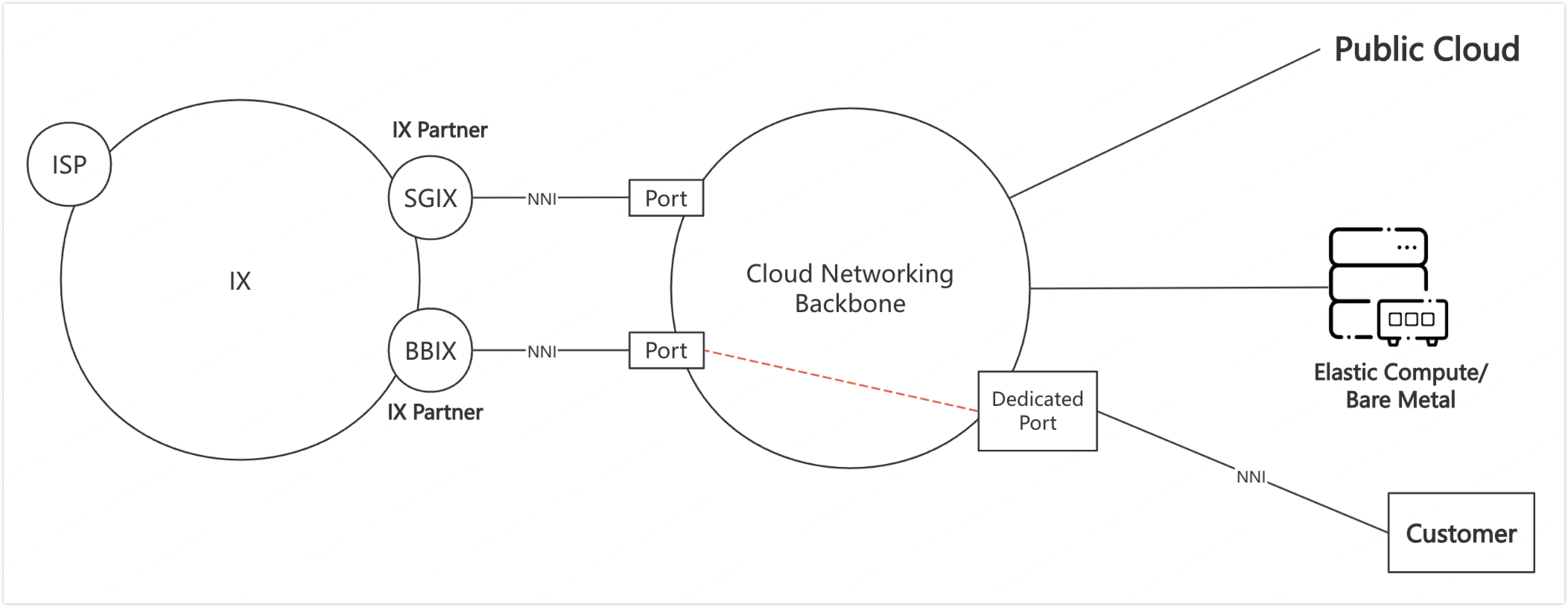
An Internet Exchange (IX) is a neutral physical facility where autonomous networks interconnect directly to exchange internet traffic, improving speed, reducing transit costs, and increasing routing efficiency.
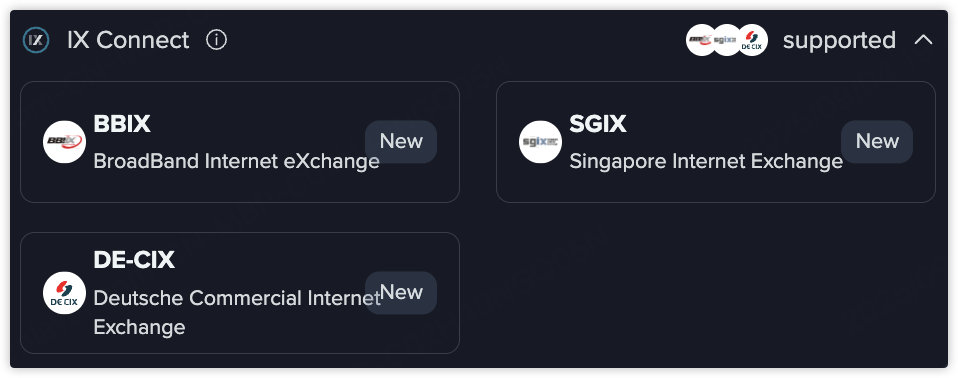
Currently, IX Connect supports four IX partners:
* **BBIX** (BroadBand Internet eXchange)
* **SGIX** (Singapore Internet Exchange)
* **DE-CIX** (Deutsche Commercial Internet Exchange)
* **EIE** (Equinix Internet Exchange)
{% hint style="info" %} **Note**
After provisioning, the customer must coordinate with the chosen **IX Partner** to obtain an IP address for the peering session.
{% endhint %}
## Concepts
* **ISP (Internet Service Provider)**\
An organization that provides users with Internet access.
* **IX (Internet Exchange)**\
A physical infrastructure where networks interconnect directly to exchange Internet traffic.
* **IX Partner**\
An IX operator that has established, or intends to establish, interconnection with Zenlayer platform.
* **IX Port**\
The port through which an IX Partner connects to our platform.
* **IX Connect**\
The logical service carried over an IX Port, usually distinguished by VLANs.
## Procedures
{% stepper %}
{% step %}
#### Select the IX partner
Currently, IX Connect supports four IX partners:
{% endstep %}
{% step %}
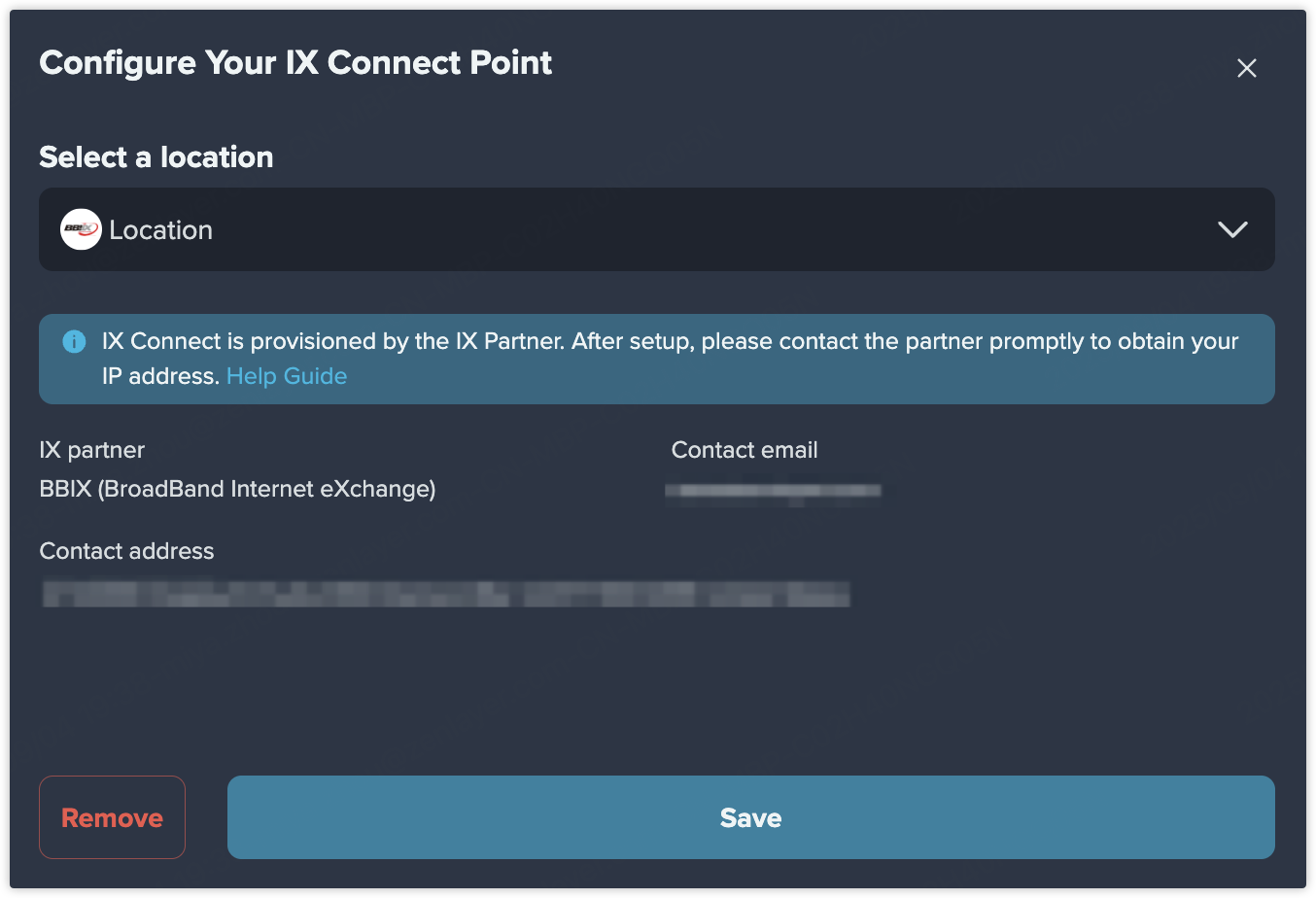
#### Select the location
Select the location closest to your infrastructures.
{% endstep %}
{% step %}
#### Click Save to complete the point configuration
{% endstep %}
{% endstepper %}
## What to Do Next
1. You can add a data center as the other access point to finish the provision of the Layer 2 private connect.
2. Please contact the IX Partner via the contact email promptly to obtain your IP address. Once the IP address is allocated, the connection from your data center to the ISP becomes active.