> For the complete documentation index, see [llms.txt](https://docs.console.zenlayer.com/welcome/llms.txt). Markdown versions of documentation pages are available by appending `.md` to page URLs; this page is available as [Markdown](https://docs.console.zenlayer.com/welcome/cn/ai-gateway/ai-gateway-integration/chatgpt-web-midjourney-proxy.md).

# ChatGPT Web Midjourney Proxy

## 常见配置参数 <a href="#chang-jian-pei-zhi-can-shu" id="chang-jian-pei-zhi-can-shu"></a>

要将应用连接到 AI 网关，请复制以下 URL，将其中的 `{APPLICATION_URL}` 和 `sk-xxxxxxxxxxxxxx` 替换为实际值，然后**在浏览器中打开**该链接。

```perl
https://{APPLICATION_URL}/#/?settings={
  "key":"sk-xxxxxxxxxxxxxx",
  "url":"https://gateway.theturbo.ai"
}
```
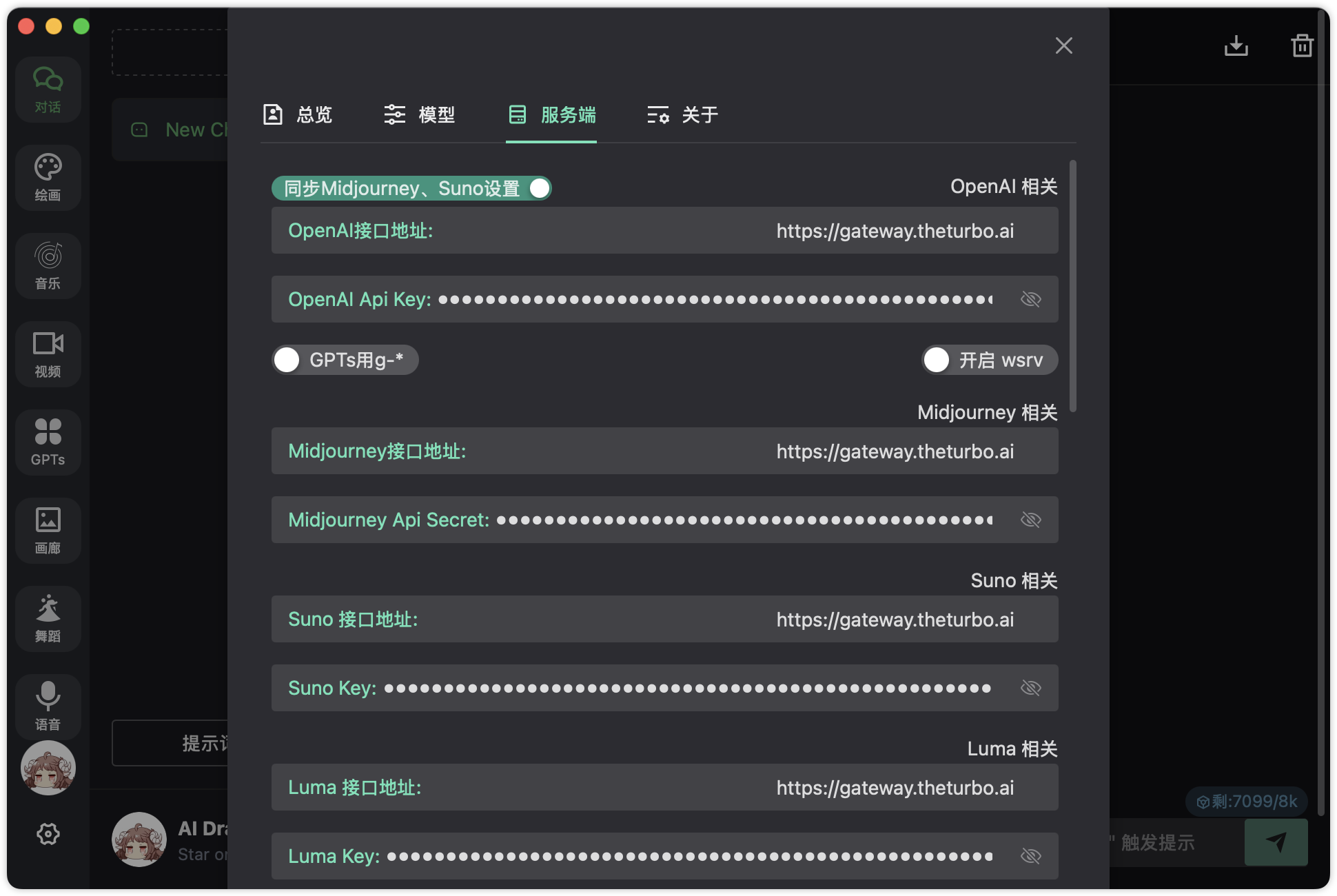
<table><thead><tr><th width="194.70703125">参数</th><th>说明</th></tr></thead><tbody><tr><td><code>{APPLICATION_URL}</code></td><td>你已部署的 AI 应用访问地址（例如聊天 UI 或桌面 Web 应用）</td></tr><tr><td><code>key</code></td><td>创建 AI 网关实例后生成的 API 密钥，用于对所有请求进行身份认证</td></tr><tr><td><code>url</code></td><td>AI 网关服务的基础访问地址，即 <code>https://gateway.theturbo.ai</code></td></tr></tbody></table>

{% hint style="info" %} <mark style="color:blue;">**注意**</mark>

<mark style="color:blue;">你可以访问</mark> [<mark style="color:blue;">**Github**</mark>](https://github.com/Dooy/chatgpt-web-midjourney-proxy) <mark style="color:blue;">查看更详细的配置说明。</mark>
{% endhint %}

<div align="left" data-with-frame="true"><figure><img src="/files/yoQerH2LBzyLmQrJdQbK" alt=""><figcaption></figcaption></figure></div>
