> For the complete documentation index, see [llms.txt](https://docs.console.zenlayer.com/welcome/llms.txt). Markdown versions of documentation pages are available by appending `.md` to page URLs; this page is available as [Markdown](https://docs.console.zenlayer.com/welcome/cn/ai-gateway/ai-gateway-integration/chatgpt.-hao-you-utools-plugin.md).
# ChatGPT.好友 (uTools 插件)
uTools **ChatGPT.好友** 是一款用于 uTools 的 AI 插件,支持通过连接 AI 网关来访问多个 AI 模型。
通过绑定 AI 网关的 API 密钥,该插件可以将请求统一路由至 AI 网关,并通过统一接口与不同模型提供方进行交互。
有关安装和 API 集成的更多信息,请查看 [**帮助文档**](https://help.chats.li/)。
### API Endpoint 管理
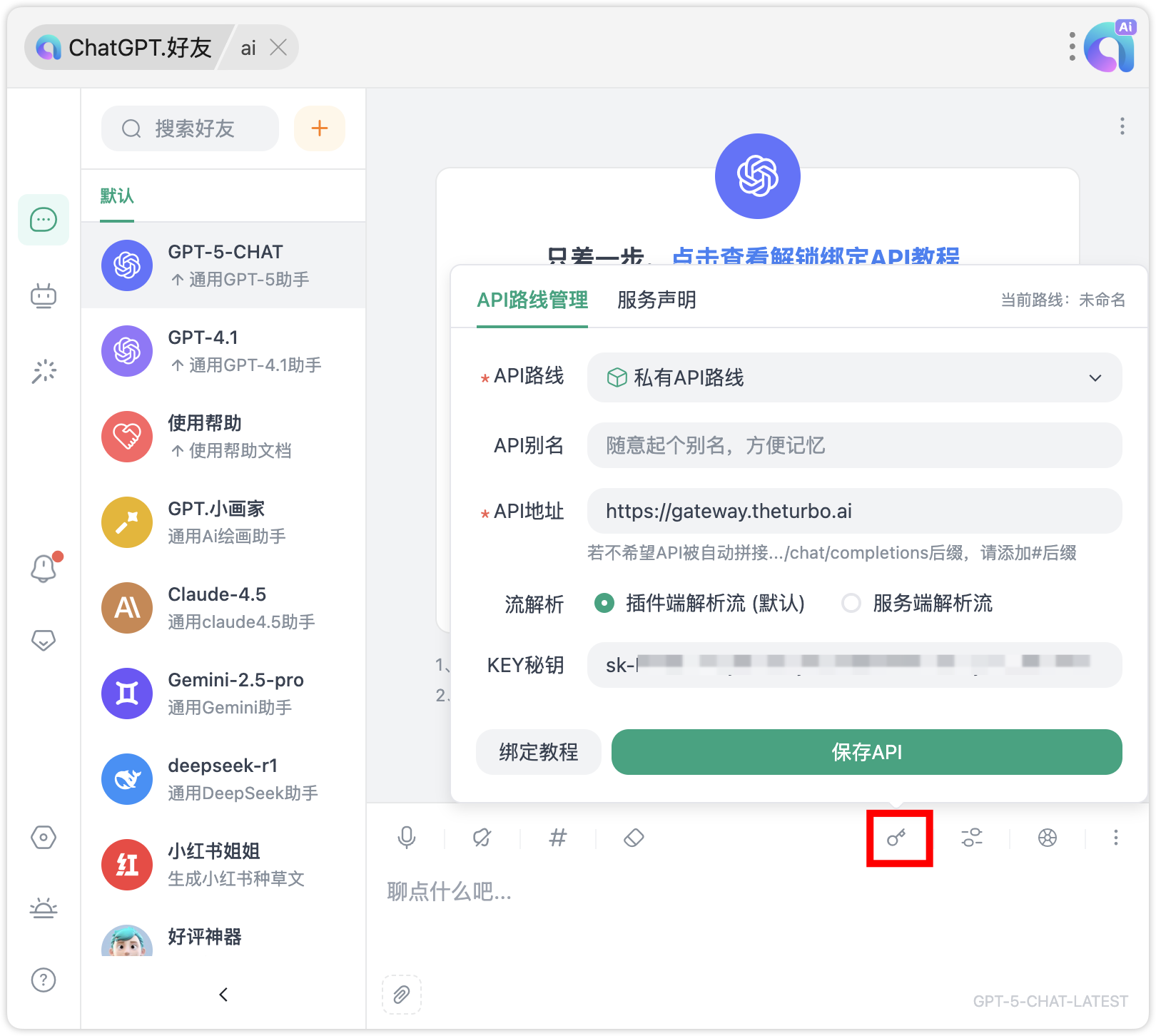
1. 点击  进入 API 路线管理界面。
2. 选择 **私有 API 路线**。
3. 将 `https://gateway.theturbo.ai` 填写为 **API 地址**,并输入创建 AI 网关实例后生成的 **API Key**。
进入 API 路线管理界面。
2. 选择 **私有 API 路线**。
3. 将 `https://gateway.theturbo.ai` 填写为 **API 地址**,并输入创建 AI 网关实例后生成的 **API Key**。