# ChatWise

ChatWise 是一款简洁、强大且注重隐私保护的 AI 聊天应用。有关安装和 API 集成的更多信息，请查看 [**帮助文档**](https://docs.chatwise.app/image-generation.html#custom-providers)。

## API Endpoint 管理

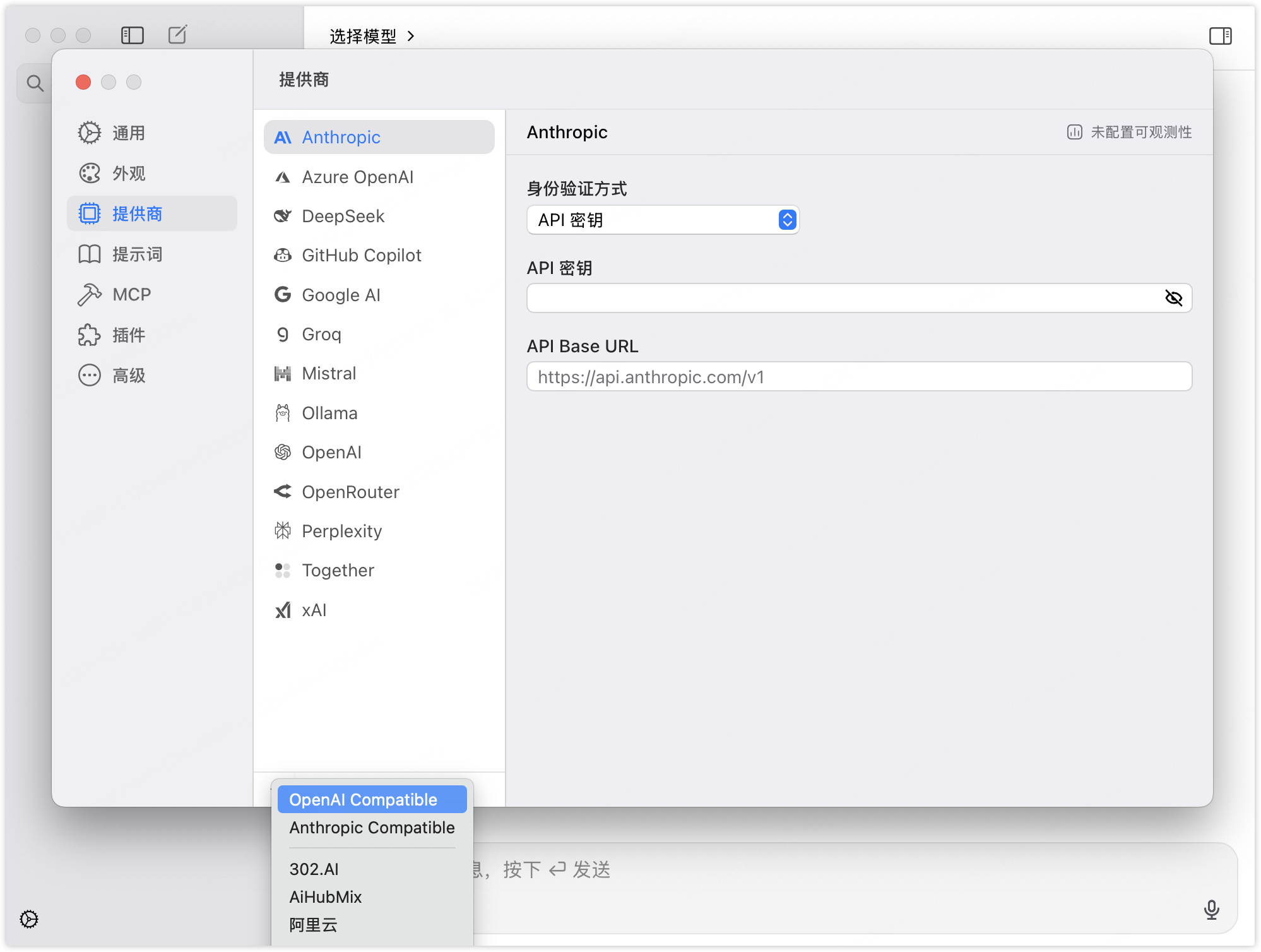
1. 进入 **设置 > 提供商**。点击底部的 <img src="/files/IZYkfS5MDGRPchQVAf1E" alt="" data-size="line"> ，并选择 **OpenAI Compatible**。<br>

   <div align="left" data-with-frame="true"><figure><img src="/files/ZzDTXMBm7kD4t55t439f" alt=""><figcaption></figcaption></figure></div>
2. 输入 **Provider Name**、**API Base URL** 和 **API Key**。<br>

   <div align="left" data-with-frame="true"><figure><img src="/files/aC9YXfnjwb9DWjGDV2eb" alt=""><figcaption></figcaption></figure></div>
3. 点击 **获取模型列表** 以管理所有、可访问的模型。


---

# Agent Instructions: Querying This Documentation

If you need additional information that is not directly available in this page, you can query the documentation dynamically by asking a question.

Perform an HTTP GET request on the current page URL with the `ask` query parameter:

```
GET https://docs.console.zenlayer.com/welcome/cn/ai-gateway/ai-gateway-integration/chatwise.md?ask=<question>
```

The question should be specific, self-contained, and written in natural language.
The response will contain a direct answer to the question and relevant excerpts and sources from the documentation.

Use this mechanism when the answer is not explicitly present in the current page, you need clarification or additional context, or you want to retrieve related documentation sections.