> For the complete documentation index, see [llms.txt](https://docs.console.zenlayer.com/welcome/llms.txt). Markdown versions of documentation pages are available by appending `.md` to page URLs; this page is available as [Markdown](https://docs.console.zenlayer.com/welcome/cn/bare-metal/overview/ipmi.md).
# IPMI 登录
IPMI 是一个平台管理系统,用于控制和监控服务器健康状况。
IPMI(智能平台管理接口)是一套硬件平台管理系统的标准化规范,使得能够控制和监控服务器。您可以远程登录以管理和控制服务器,无论安装了什么系统,因为 IPMI 是由 Intel 与 Dell、Hewlett Packard 和 NEC 合作开发的行业标准。简而言之,IPMI 是您服务器的安全卫士。
## 主要功能
* 大多数硬件供应商支持的通用标准。
* 监控设备的物理状态。例如,使用 IPMI,您可以轻松检查 CPU 速度、风扇速度、电压、温度、事件日志和服务器重启情况。
* 设置关于服务器运行状态的通知。
* 配置简单易改。
## **如何访问 IPMI**
您可以通过互联网连接到 IPMI 管理器,管理器利用 IPMI over IP 与服务器主板上的裸机实例连接。
步骤 1 - [创建裸机实例](/welcome/cn/bare-metal/get-started/create-a-bare-metal-instance.md)。
步骤 2 - 单击实例的标签名称以查看详细信息。
步骤 3 - 单击 **IPMI** 或 **登录 IPMI 控制台**。
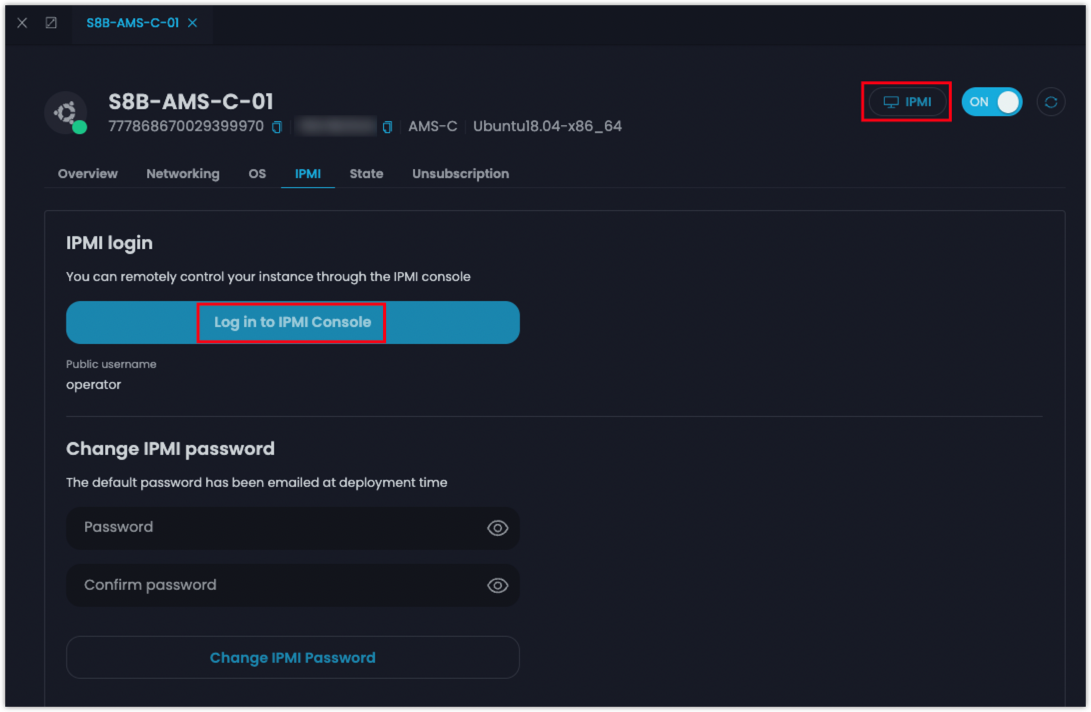
IPMI 登录
步骤 4 - 输入用户名和密码。
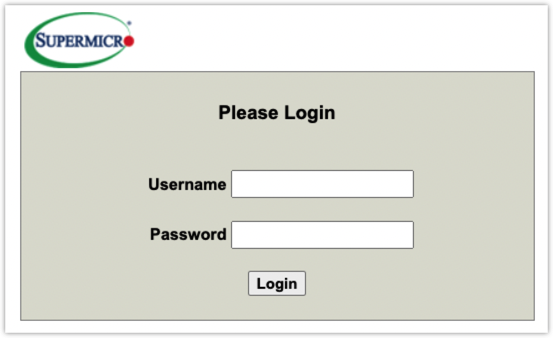
登录界面
以 Supermicro 为例。
* 用户名: **operator**
* 密码: 在实例创建后由您自己设置
### 结果
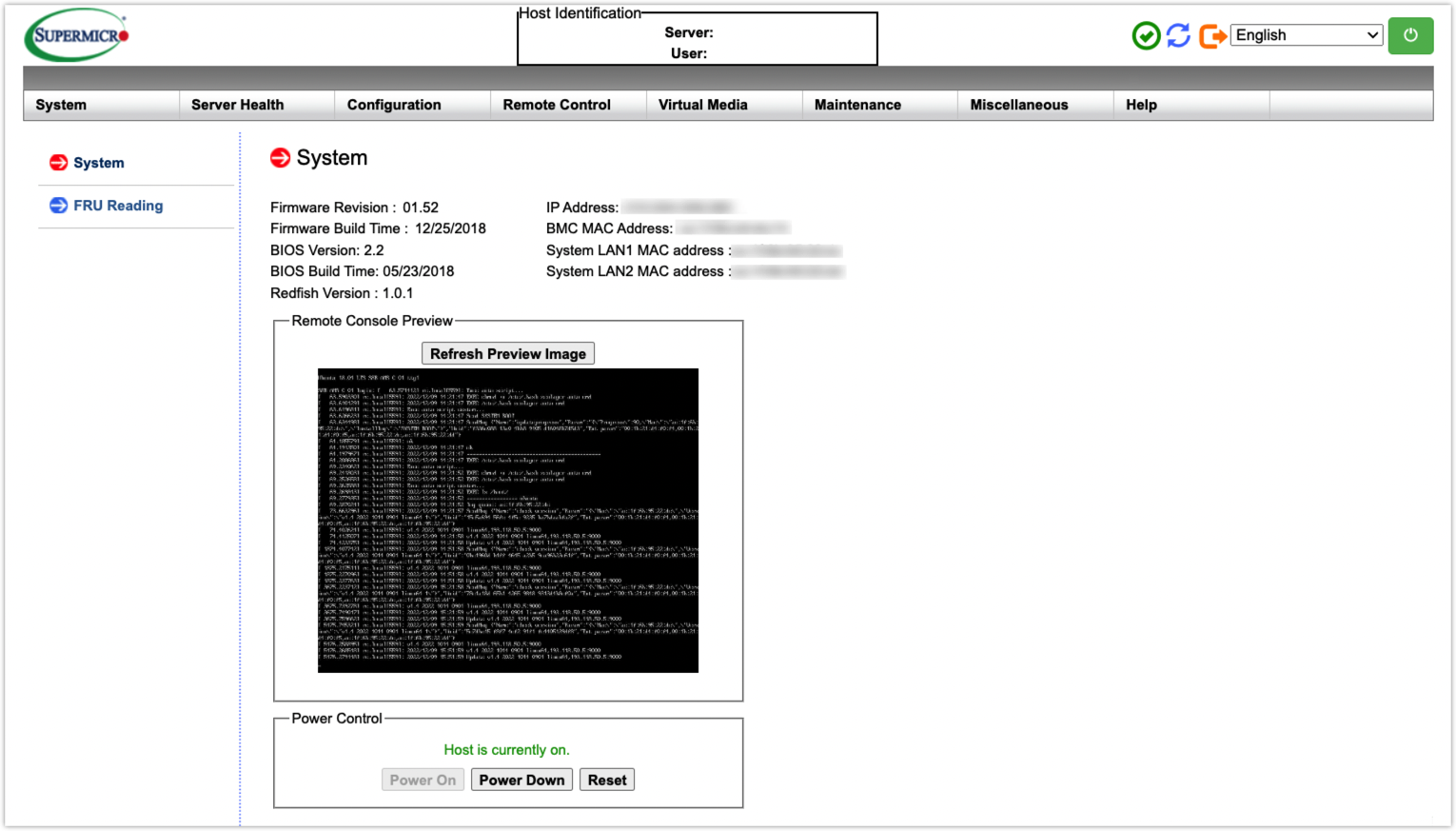
IPMI 控制台
登录 IPMI 控制台后,您可以检查服务器健康状况并远程管理裸机实例。
{% hint style="info" %} **注意**
* 不同规格的实例可能有不同的 IPMI 供应商。支持 Supermicro、Dell、H3C 和 Inspur。实际界面为准。
* 有关如何使用 IPMI 控制台的更多详细信息,请参阅相应 IPMI 供应商的用户指南。
{% endhint %}