# 网络链路及路由诊断

## 概览

网络链路及路由诊断（Route Explorer）通过 Ping、MTR 和 BGP，从 Zenlayer 的 PoP 节点探测目标 IP 或域名的路由路径及网络链路质量，常用于以下场景：

### **常见使用场景**

<table><thead><tr><th width="261.590576171875">场景</th><th>描述</th></tr></thead><tbody><tr><td>网站可达性检查</td><td>验证某个网站或服务是否可从指定区域正常访问。</td></tr><tr><td>路由异常检测</td><td>识别路由劫持、绕路或跳数异常等问题。</td></tr><tr><td>跨 PoP 路径对比</td><td>比较不同 PoP 节点访问同一目标的网络性能差异。</td></tr><tr><td>网络问题复现</td><td>协助工程师复现网络异常，便于故障排查。</td></tr></tbody></table>

## **操作步骤**

<figure><img src="/files/mERBDY3Gt7F0z4aSV0rs" alt=""><figcaption></figcaption></figure>

### **参数说明**

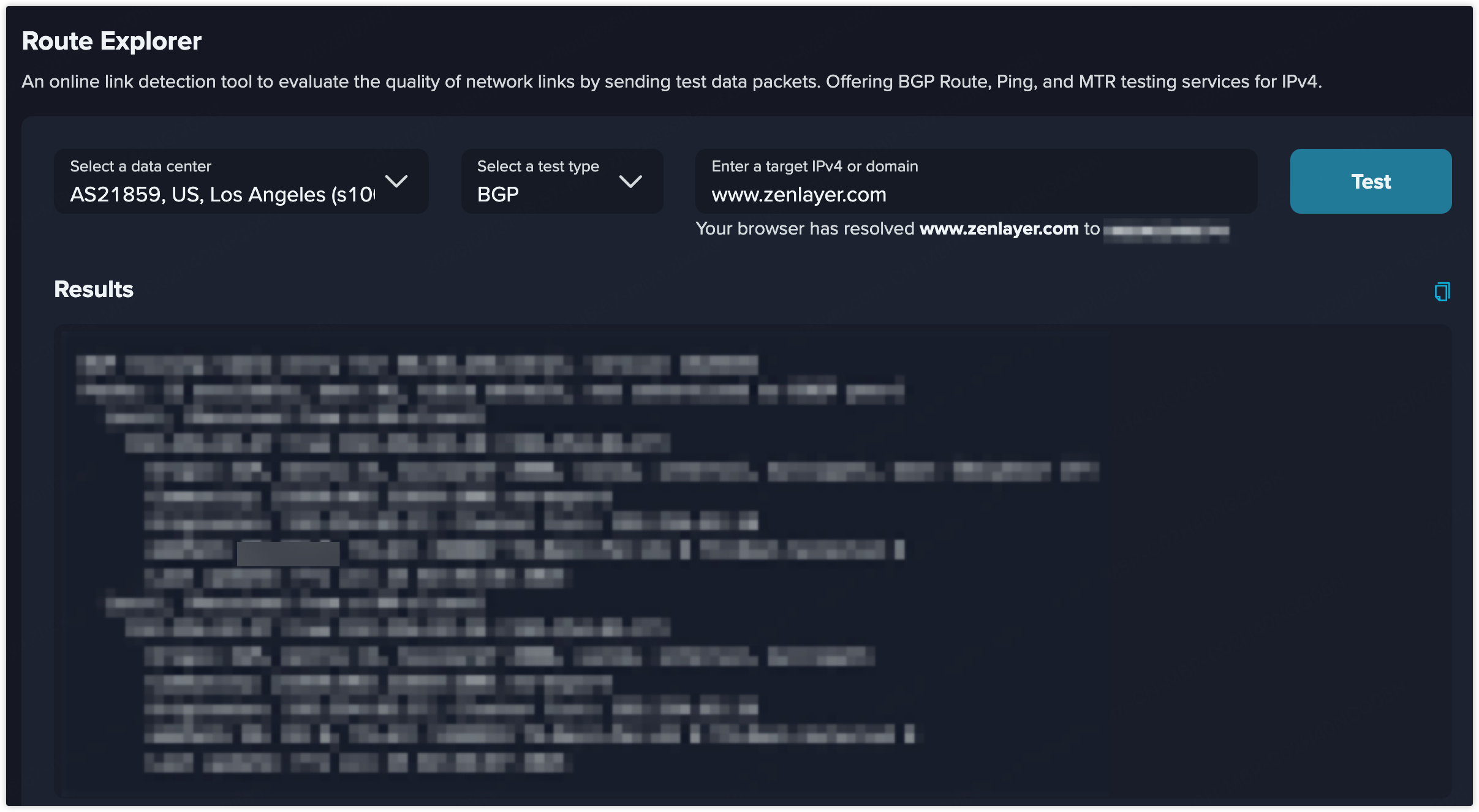
<table><thead><tr><th width="98.99285888671875">参数</th><th>说明</th></tr></thead><tbody><tr><td>数据中心</td><td>测试的源 PoP 节点。建议选择靠近目标用户或源站点的 PoP，以模拟真实访问情况。</td></tr><tr><td>测试类型</td><td><ul><li><strong>BGP</strong>：显示源 PoP 到目标的 BGP 路由路径，适用于检测路由策略错误、劫持或绕路问题。</li><li><strong>MTR</strong>：结合 Ping 和 Traceroute，逐跳展示延迟和丢包情况，适合定位不稳定链路。</li><li><strong>Ping</strong>：测量 ICMP 延迟和丢包情况，快速评估连通性和平均延迟。</li></ul></td></tr><tr><td><strong>目标 IPv4 / 域名</strong></td><td>任意有效的 IPv4 地址（如 8.8.8.8）或域名（如 www.zenlayer.com）。建议使用真实服务地址以获得更准确的路径模拟。</td></tr></tbody></table>

### **操作步骤**

1. 从下拉列表中选择测试节点，例如：`AS21859, US, Los Angeles s1001`
2. 选择所需协议：**Ping / MTR / BGP**
3. 输入目标 IP（如 `34.215.41.2`）或域名（如 `www.zenlayer.com`）
4. 点击**测试**，启动远程探测。数秒后将显示延迟、跳数、丢包等结果。

   <div align="left"><figure><img src="/files/ekvEYvv3exqqQQ77PHEe" alt=""><figcaption></figcaption></figure></div>

## **常见问题解答（FAQ）**

**Q1：如果目标无法访问怎么办？**\
**A1**：请先检查目标 IP 或域名是否在全球范围内可达，可能因 ICMP（Ping）被屏蔽或 DNS 无法解析而失败。

**Q2：为什么 BGP 结果只显示一跳？**\
**A2**：通常表示源节点与目标 ASN 直连，或目标使用默认路由。建议使用 MTR 查看物理路径详情。

**Q3：某一跳显示 100% 丢包是否代表异常？**\
**A3**：不一定。有些中间设备会屏蔽 ICMP 回复，但仍正常转发流量。应关注最终跳的可达性。

**Q4：可以同时测试多个目标吗？**\
**A4**：目前仅支持单个 IP / 域名测试。如需批量测试，请联系销售或提交支持工单。<br>


---

# Agent Instructions: Querying This Documentation

If you need additional information that is not directly available in this page, you can query the documentation dynamically by asking a question.

Perform an HTTP GET request on the current page URL with the `ask` query parameter:

```
GET https://docs.console.zenlayer.com/welcome/cn/platform/looking-glass/route-explorer.md?ask=<question>
```

The question should be specific, self-contained, and written in natural language.
The response will contain a direct answer to the question and relevant excerpts and sources from the documentation.

Use this mechanism when the answer is not explicitly present in the current page, you need clarification or additional context, or you want to retrieve related documentation sections.