# 标签管理

## 概述

**标签（Tags）** 是可以分配给资源（如实例、存储、IP 等）的元数据标签。每个标签通常由一个 **键值对** 组成——例如 `Environment=Production` 或 `Owner=Alice`。

<table><thead><tr><th width="148.53131103515625">标签键</th><th width="252.4659423828125">标签值</th><th>使用场景</th></tr></thead><tbody><tr><td><code>Owner</code></td><td><code>Alice</code>, <code>Team‑DevOps</code>, <code>Console</code></td><td>标识资源的负责人。</td></tr><tr><td><code>Product</code></td><td><code>Bare Metal</code>, <code>Elastic Compute</code></td><td>将资源与特定服务关联。</td></tr><tr><td><code>Department</code></td><td><code>FIN123</code>, <code>HR‑456</code>, <code>ENG‑789</code></td><td>实现跨部门的成本分摊和账单透明化。</td></tr><tr><td><code>Classification</code></td><td><code>Public</code>, <code>Internal</code>, <code>Confidential</code>, <code>Sensitive</code></td><td>指示资源中存储或处理的数据的敏感性或分类。</td></tr></tbody></table>

**目的与使用：**

1. **资源组织：** 标签可帮助逻辑分组和分类资源，即使它们分布在不同区域或账户。
2. **访问控制：** 一些云平台允许基于标签应用策略或权限。
3. **账单与成本管理：** 标签可更方便地跟踪特定项目、部门或团队的费用。
4. **自动化：** 脚本和工具可以基于标签自动管理资源（启动、停止、备份等）。

### 创建标签

1. 进入 <img src="/files/OpBVTu9w6b4cLMhp1sjt" alt="" data-size="line"> > **团队设置** > **标签** > **创建标签**。

   <div align="left"><figure><img src="/files/PURV0Snt3Cb3ngxWvD4v" alt="" width="563"><figcaption></figcaption></figure></div>
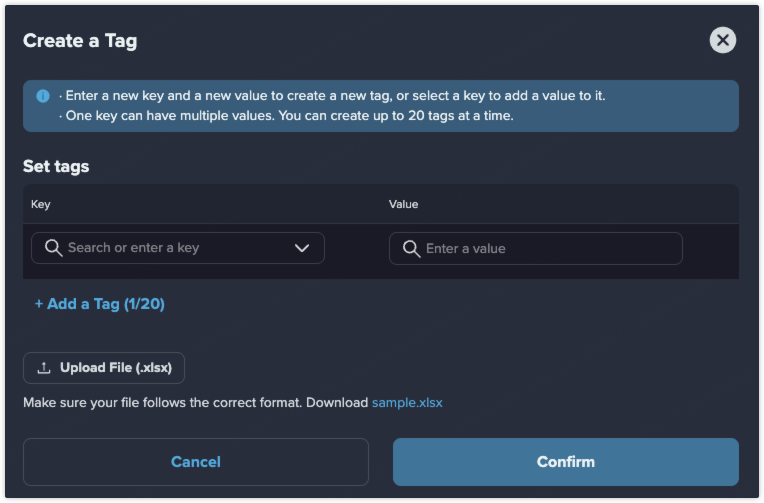
2. 输入新的键和新的值以创建标签，或选择已有键添加值。\
   一个键可以有多个值。一次最多可以创建 `20` 个标签。
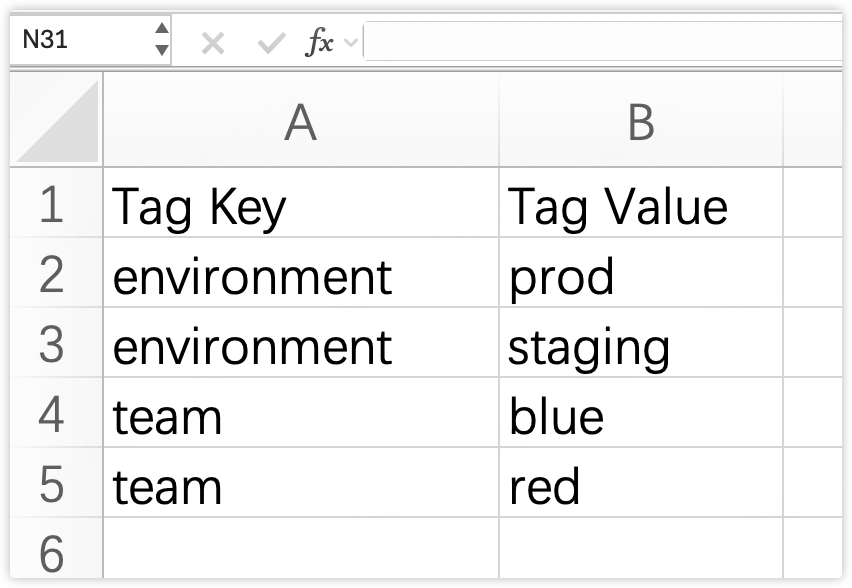
3. 你也可以上传符合示例格式的 Excel 文件批量创建标签。

   <div align="left"><figure><img src="/files/YJapQjqDFMJE62rEkvCh" alt="" width="188"><figcaption></figcaption></figure></div>

### 绑定资源

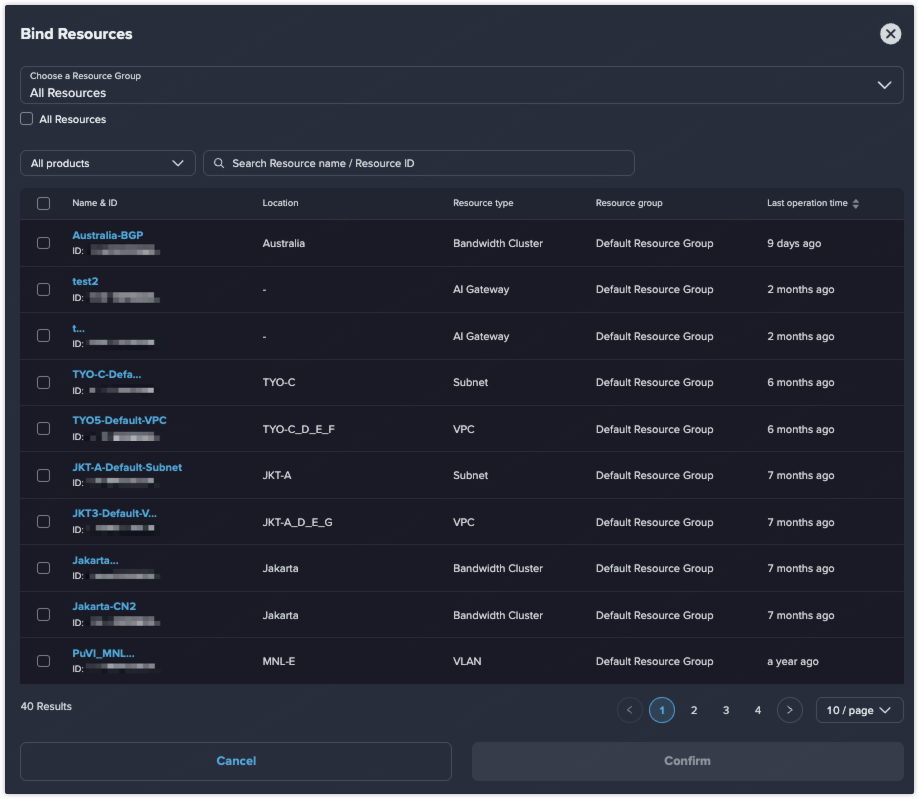
创建标签后，可在 **更多操作** > **绑定资源** 中将资源绑定到该标签。

<div align="left"><figure><img src="/files/0CENy0NToFe2rPX4qP1B" alt=""><figcaption></figcaption></figure></div>

也可以在详情页解绑资源。

<div align="left"><figure><img src="/files/9UCSpFgEUFcgwJBOX1dH" alt=""><figcaption></figcaption></figure></div>

### 删除标签

如果不再需要某个标签，可以在 **操作** > **删除** 中删除。

{% hint style="info" %} <mark style="color:blue;">**注意**</mark>

<mark style="color:blue;">标签只有在没有绑定资源时才能删除。</mark>

<mark style="color:blue;">如果标签绑定了资源，可以先解绑资源再删除标签。</mark>
{% endhint %}


---

# Agent Instructions: Querying This Documentation

If you need additional information that is not directly available in this page, you can query the documentation dynamically by asking a question.

Perform an HTTP GET request on the current page URL with the `ask` query parameter:

```
GET https://docs.console.zenlayer.com/welcome/cn/platform/team-management/tag-management.md?ask=<question>
```

The question should be specific, self-contained, and written in natural language.
The response will contain a direct answer to the question and relevant excerpts and sources from the documentation.

Use this mechanism when the answer is not explicitly present in the current page, you need clarification or additional context, or you want to retrieve related documentation sections.