> For the complete documentation index, see [llms.txt](https://docs.console.zenlayer.com/welcome/llms.txt). Markdown versions of documentation pages are available by appending `.md` to page URLs; this page is available as [Markdown](https://docs.console.zenlayer.com/welcome/cn/platform/team-management/team-settings.md).
# 编辑、切换、退出团队
您可以在创建团队后编辑团队设置。开始前,请确保您已登录个人账号并具备相应权限。
## 操作步骤
1. 前往 .png?alt=media) > **管理当前团队** > **团队设置**,编辑团队信息。
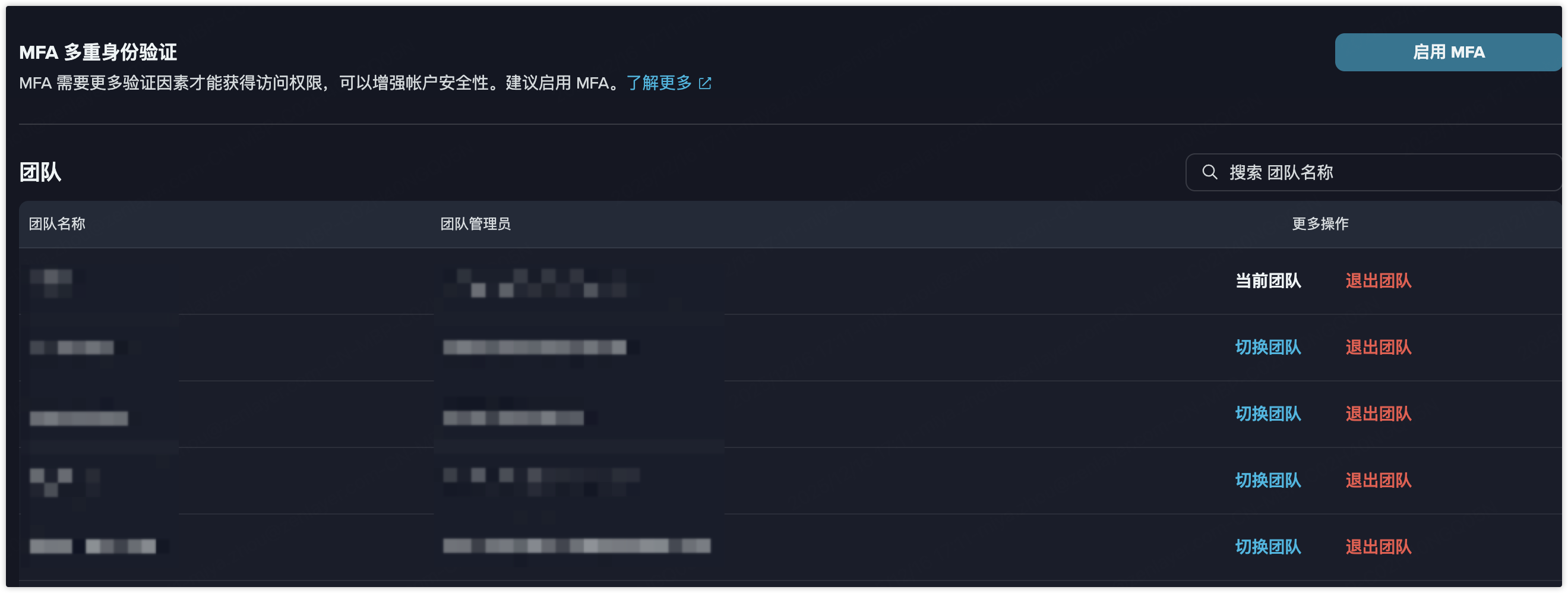
2. 前往 > **个人账号设置**,查看您所加入的所有团队信息。
* 点击 **切换团队**,切换团队登录;
* 点击 **退出团队**,退出某个团队。
{% hint style="info" %} **注意**
如果您想再加入已退出的团队,需要联系团队管理员,再次邀请您加入团队。
{% endhint %}
如需了解更多,请查看以下视频:
{% embed url="" %}
> **管理当前团队** > **团队设置**,编辑团队信息。
2. 前往 > **个人账号设置**,查看您所加入的所有团队信息。
* 点击 **切换团队**,切换团队登录;
* 点击 **退出团队**,退出某个团队。
{% hint style="info" %} **注意**
如果您想再加入已退出的团队,需要联系团队管理员,再次邀请您加入团队。
{% endhint %}
如需了解更多,请查看以下视频:
{% embed url="" %}