> For the complete documentation index, see [llms.txt](https://docs.console.zenlayer.com/welcome/llms.txt). Markdown versions of documentation pages are available by appending `.md` to page URLs; this page is available as [Markdown](https://docs.console.zenlayer.com/welcome/content-delivery-network/purge-and-prefetch/purge-api.md).

# Purge API

Integrate the purge functions to your customized tool.

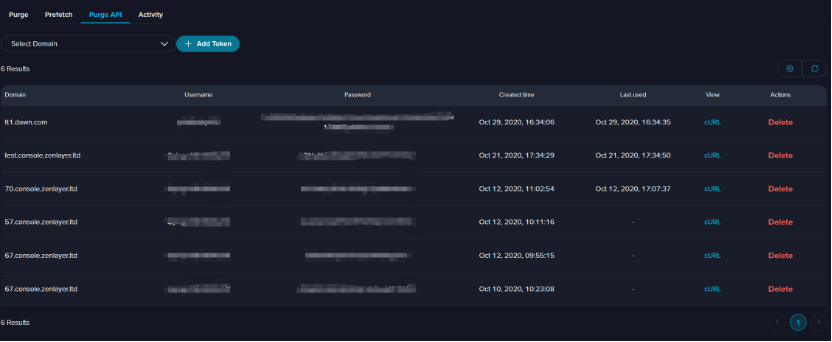
1. Click **Add Token**.<br>

   <div align="left"><figure><img src="https://3201622183-files.gitbook.io/~/files/v0/b/gitbook-x-prod.appspot.com/o/spaces%2F9X3FDdkCL2HzhbPpPMFt%2Fuploads%2Fgit-blob-90eec1791e9df9d65b74e84028967b9e66ac26b0%2Fimage.png?alt=media" alt=""><figcaption></figcaption></figure></div>
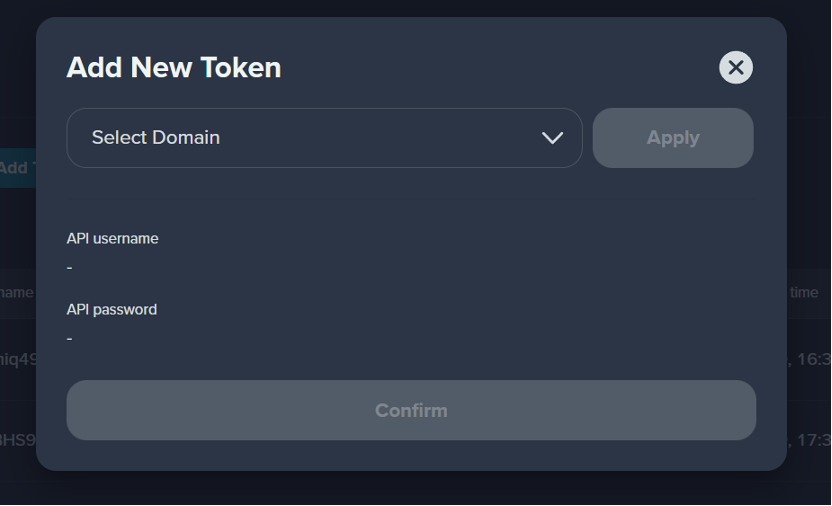
2. Choose the domain name.
3. Click **Apply**.\
   API Username and Password will be generated automatically below.
4. Click **Add**.<br>

   <div align="left"><figure><img src="https://3201622183-files.gitbook.io/~/files/v0/b/gitbook-x-prod.appspot.com/o/spaces%2F9X3FDdkCL2HzhbPpPMFt%2Fuploads%2Fgit-blob-23ad2f15612350a0dc4ba62e465cf83038de1043%2Fimage.png?alt=media" alt="" width="375"><figcaption></figcaption></figure></div>
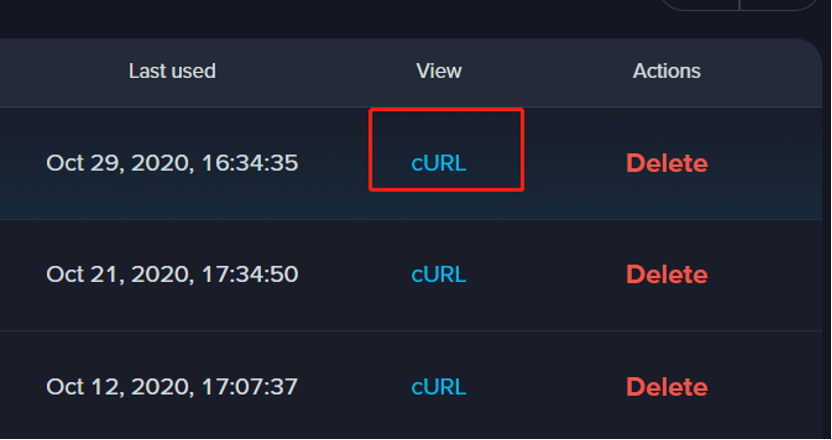
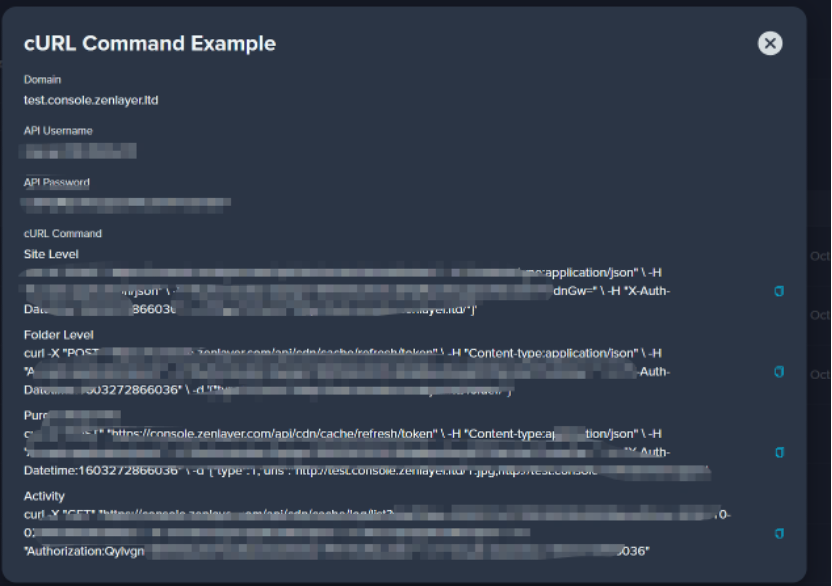
5. Click cURL to view the detailed information.<br>

   <div align="left"><figure><img src="https://3201622183-files.gitbook.io/~/files/v0/b/gitbook-x-prod.appspot.com/o/spaces%2F9X3FDdkCL2HzhbPpPMFt%2Fuploads%2Fgit-blob-29f8755c3dc2601da2582b3adf07e783d10140d7%2Fimage.png?alt=media" alt="" width="375"><figcaption></figcaption></figure></div>

   <div align="left"><figure><img src="https://3201622183-files.gitbook.io/~/files/v0/b/gitbook-x-prod.appspot.com/o/spaces%2F9X3FDdkCL2HzhbPpPMFt%2Fuploads%2Fgit-blob-b2357b04a1a8471128e4600fbbc6611238383c26%2Fimage.png?alt=media" alt="" width="563"><figcaption></figcaption></figure></div>