> For the complete documentation index, see [llms.txt](https://docs.console.zenlayer.com/welcome/llms.txt). Markdown versions of documentation pages are available by appending `.md` to page URLs; this page is available as [Markdown](https://docs.console.zenlayer.com/welcome/elastic-compute/get-started/manage-networking/advertise-byoip.md).
# Advertise BYOIP
## Prerequisites
* Use BYOIP if you need to retain existing IPs, reputation, or configuration.
* Please [pre-register ROA/RPKI with your RIR](/welcome/elastic-compute/get-started/manage-networking/advertise-byoip/register-roa-rpki-with-rir.md) to enable BYOIP.
* Please [register the corresponding route object](/welcome/elastic-compute/get-started/manage-networking/advertise-byoip/register-a-route-object-in-the-irr.md) in IRR in advance.
* The origin ASN you want to advertise from must already be available on your account. See [Add Your Own ASN](/welcome/elastic-compute/get-started/manage-networking/add-your-own-asn.md) to add one.
## Cut Over from an Existing Advertisement
If the CIDR is still advertised on another network, withdraw it there before you import it here. Importing is the cutover itself — the prefix goes live as soon as the CIDR becomes active — so any overlap leaves the same prefix advertised from two origins at once (a Multiple Origin AS, or MOAS, state).
While the advertisements overlap:
* Every network on the internet independently follows the shortest AS-path, so traffic to your prefix splits across both origins unpredictably.
* Re-pathed TCP connections are dropped. HTTP(S) and other long-lived sessions break; only stateless traffic such as DNS tends to survive.
* Keeping the overlap short does not help. Five to ten minutes is long enough to disturb established connections.
{% hint style="warning" %}
Recommended order: withdraw the existing advertisement, then import the CIDR on Zenlayer, then verify reachability.
{% endhint %}
## Procedures
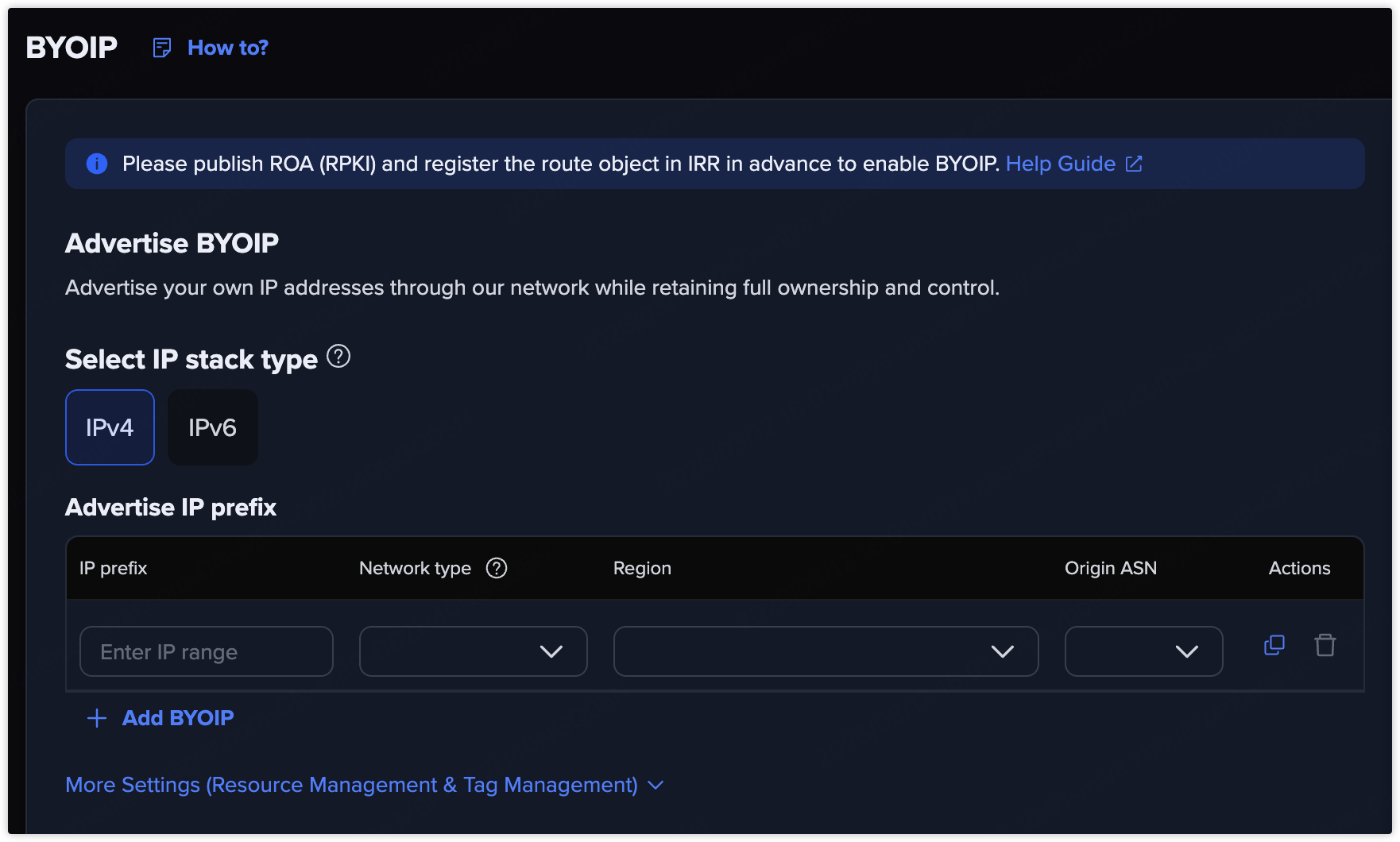
1. Go to **Elastic Compute** > **IP Pool** > **CIDR Block** and click **+ BYOIP**.
2. Advertise your IP prefixes.
3. Allocate to a resource group if you need.
4. Check and confirm your order.
## Result
Zenlayer will validate your RPKI/ROA and the corresponding route object before activating BYOIP.
Once the CIDR is active, the prefix is advertised immediately. Creating an EIP or binding it to a resource only allocates addresses out of the pool — neither triggers nor changes the advertisement.