> For the complete documentation index, see [llms.txt](https://docs.console.zenlayer.com/welcome/llms.txt). Markdown versions of documentation pages are available by appending `.md` to page URLs; this page is available as [Markdown](https://docs.console.zenlayer.com/welcome/ip-transit/create-ip-transit/configure-public-interconnect-ip.md).
# Public Interconnect IP
When creating an IP Transit instance, you can enable **Public Interconnect IP** to assign a public IPv4 block to the interconnect link. Disabled by default.
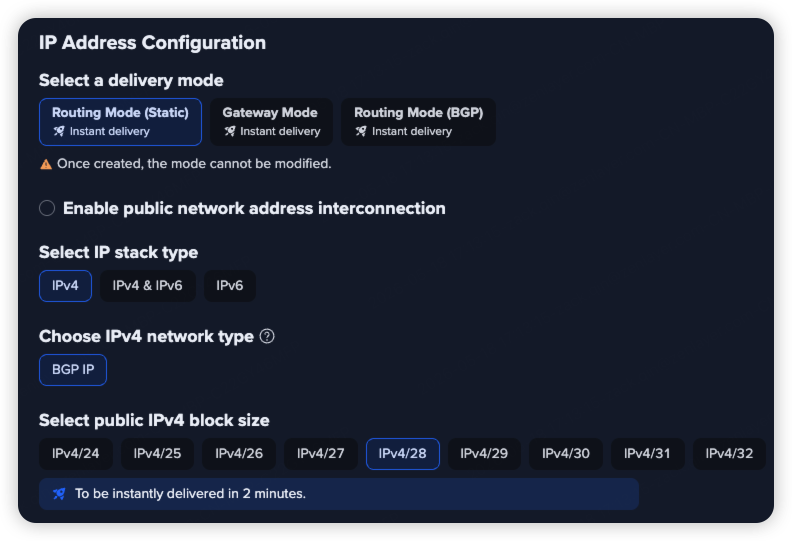
By default, the checkbox is unchecked and no extra configuration appears.
Public Interconnect IP — default unchecked state
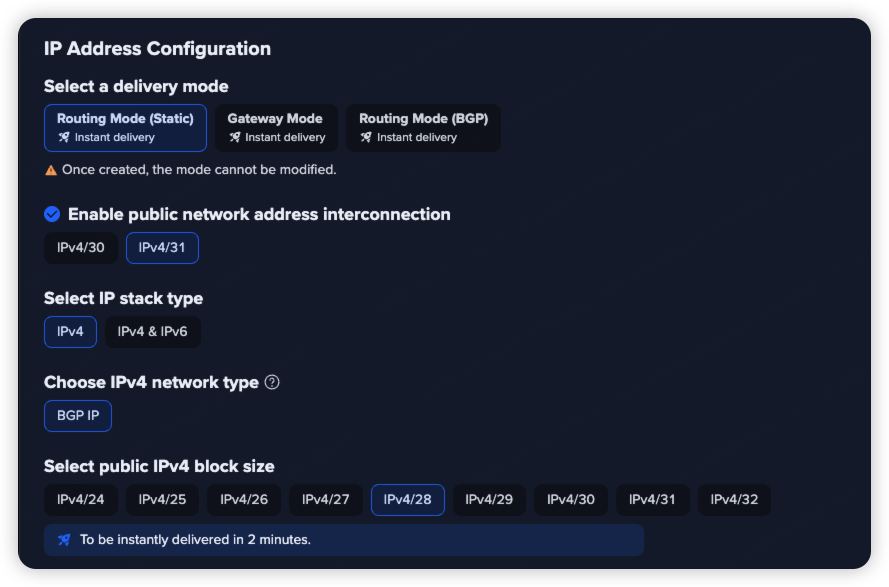
When checked, the block size selector expands with IPv4/31 selected by default.
Public Interconnect IP — block size selector expanded
{% hint style="info" %} **Note**
Public Interconnect IP is available for Static Routing Mode and BGP Routing Mode only. Gateway Mode is not supported. You cannot change the block size after creation.
{% endhint %}
## Interconnect block size
After selecting **Public Interconnect IP**, choose a block size:
| Block | Usable addresses | Description |
| ------- | ------------------ | ------------------------------------------------------------------------------------------- |
| IPv4/31 | 2 (point-to-point) | No network or broadcast address overhead. Suited for point-to-point links. **Recommended.** |
| IPv4/30 | 4 | Includes network and broadcast addresses. Use when your setup requires them. |
## Pricing
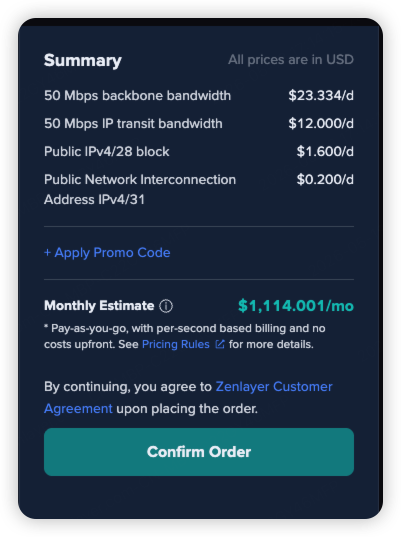
When enabled, a Public Interconnect IP line item appears under the public IPv4 block fee in the order summary. Disabling the option removes the line item and restores the original total.
Order summary — Public Interconnect IP fee line item