> For the complete documentation index, see [llms.txt](https://docs.console.zenlayer.com/welcome/llms.txt). Markdown versions of documentation pages are available by appending `.md` to page URLs; this page is available as [Markdown](https://docs.console.zenlayer.com/welcome/ai-gateway/ai-gateway-integration/chatgpt-web-midjourney-proxy.md).

# ChatGPT Web Midjourney Proxy

## Common Configuration Parameters

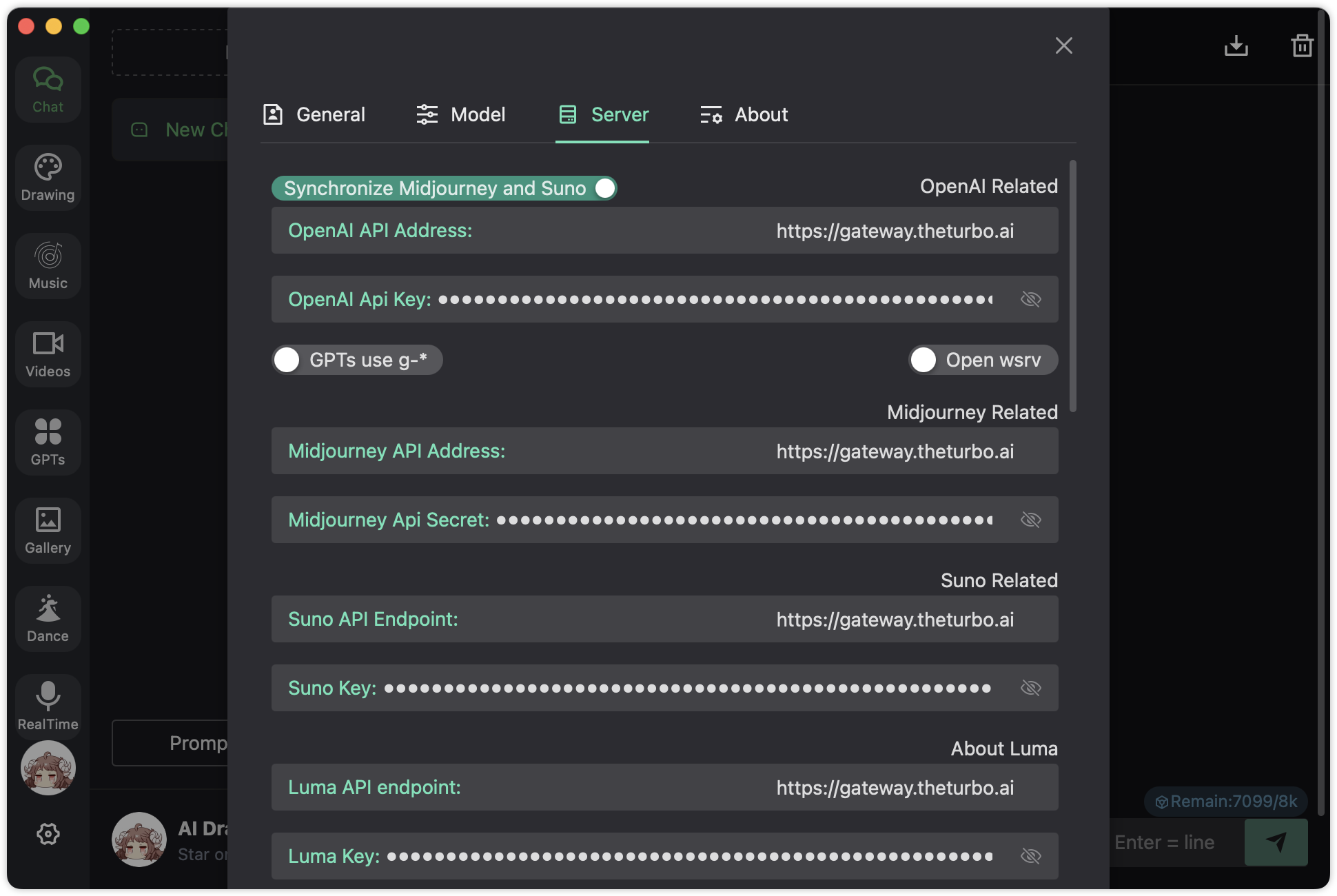
To connect an application to AI Gateway, copy the URL below, replace `{APPLICATION_URL}` and `sk-xxxxxxxxxxxxxx`, and open it **in your browser**.

```perl
https://{APPLICATION_URL}/#/?settings={
  "key":"sk-xxxxxxxxxxxxxx",
  "url":"https://gateway.theturbo.ai"
}
```

<table><thead><tr><th width="194.70703125">Parameter</th><th>Description</th></tr></thead><tbody><tr><td><code>{APPLICATION_URL}</code></td><td>The access URL of the AI application you have deployed (for example, a chat UI or desktop web app)</td></tr><tr><td><code>key</code></td><td>The API key generated after creating an AI Gateway instance. This key is used to authenticate all requests</td></tr><tr><td><code>url</code></td><td>The base URL of your AI Gateway service endpoint, that is <code>https://gateway.theturbo.ai</code></td></tr></tbody></table>

{% hint style="info" %} <mark style="color:blue;">**Note**</mark>

<mark style="color:blue;">You can view</mark> [<mark style="color:blue;">**Github**</mark>](https://github.com/Dooy/chatgpt-web-midjourney-proxy) <mark style="color:blue;">for more detailed configurations.</mark>
{% endhint %}

<div align="left" data-with-frame="true"><figure><img src="/files/6hUFjabUVdQnT1rUHUen" alt=""><figcaption></figcaption></figure></div>
