> For the complete documentation index, see [llms.txt](https://docs.console.zenlayer.com/welcome/llms.txt). Markdown versions of documentation pages are available by appending `.md` to page URLs; this page is available as [Markdown](https://docs.console.zenlayer.com/welcome/platform/support-contact.md).
# Support Contact
You can submit any requests or authorize Zenlayer support to access your account to troubleshoot.
Click **Ticket** on the upper right corner of the zenConsole to contact Zenlayer support. You can either raise a ticket or authorize our support team to operate on your behalf.
## Raise a Ticket
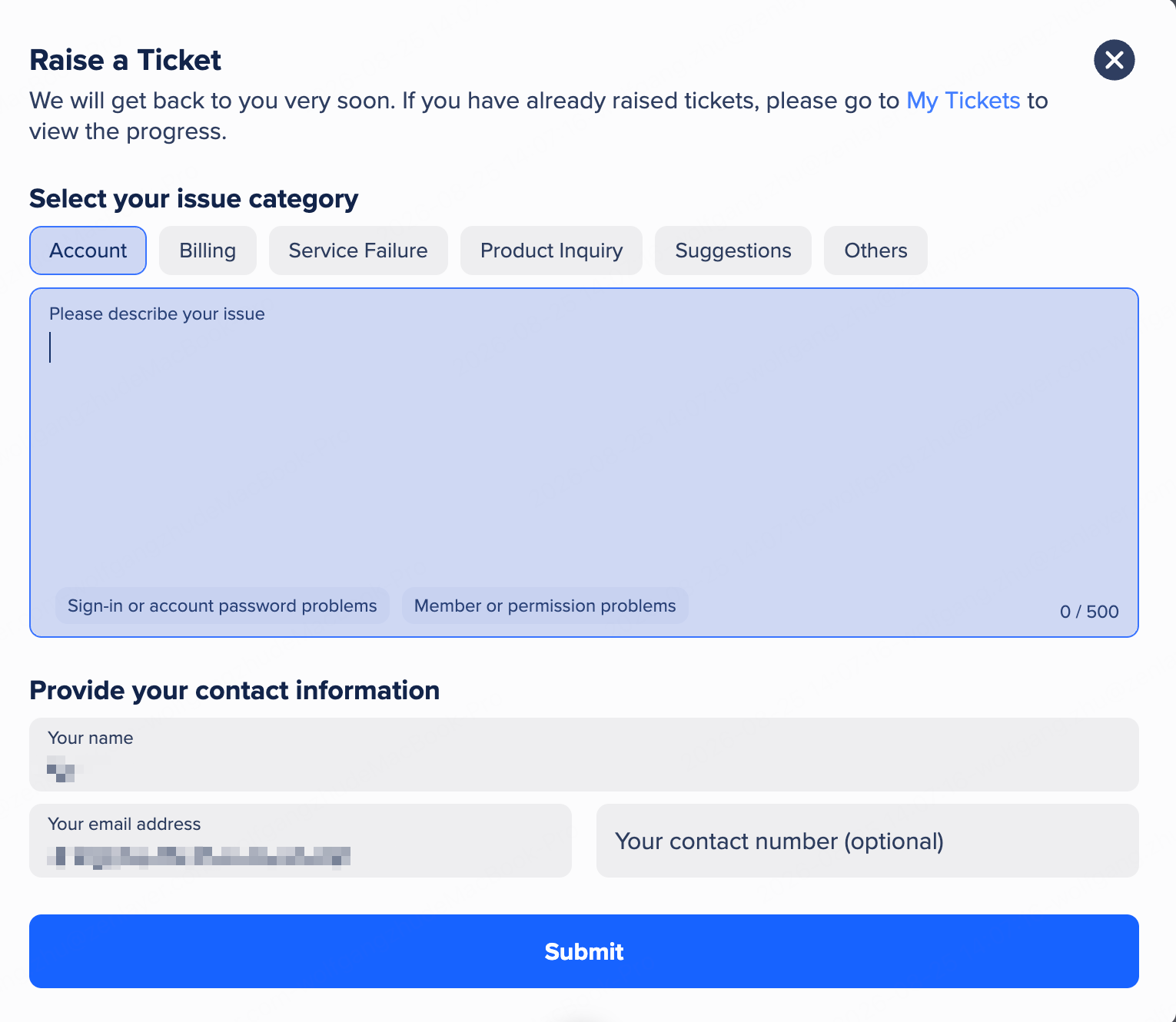
Click **Raise Ticket** to submit a ticket.
1. Select your issue category: **Account**, **Billing**, **Service Failure**, **Product Inquiry**, **Suggestions**, or **Others**.
2. Describe your issue in up to 500 characters.
3. Provide your contact information. Your name and email address are pre-filled from your account; the contact number is optional.
4. Click **Submit**.
Raise a Ticket
To track the progress of your tickets, click **My Tickets**.
## Authorize Support
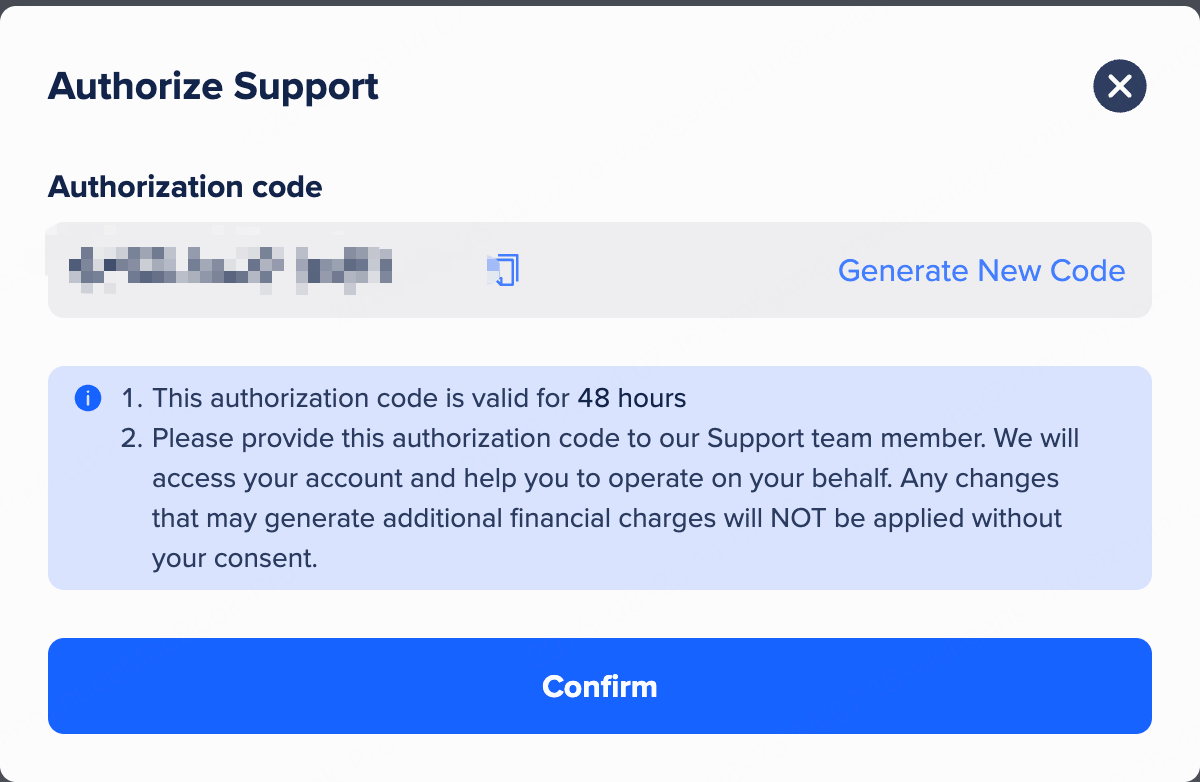
Click **Authorize Support** to generate an authorization code, and provide the code to a Zenlayer Support team member. Our support can then access your account and help you troubleshoot on your behalf.
Authorize Support
{% hint style="info" %} **Note**
* The code is valid for 48 hours. Click **Generate New Code** to replace it with a new one.
* We will not apply any changes that may generate additional financial charges without your consent.
{% endhint %}