> For the complete documentation index, see [llms.txt](https://docs.console.zenlayer.com/welcome/llms.txt). Markdown versions of documentation pages are available by appending `.md` to page URLs; this page is available as [Markdown](https://docs.console.zenlayer.com/welcome/bare-metal/get-started/create-a-bare-metal-instance/set-up-public-network.md).
# Set up Public Network
Each model of instance contains a certain amount of free bandwidth or data transfer already. If you need more bandwidth or data transfer, please select a bandwidth pricing model. See [**Network** **Billing**](/welcome/pricing/bare-metal-cloud-pricing.md#network) of Bare Metal for more details.
## Data Transfer
Billed by Data Transfer
You are billed according to your selected data transfer package, and overage data transfer will be charged by the hour. We highly recommend that you select a package that meets the actual needs of your business. Drag to select your desired data transfer package size.\
You can also set the upper limit of public network bandwidth to control traffic usage in case of extra high charge. If you don’t set the bandwidth cap, it will be the default value.
## Flat Rate
Billed by Flat Rate
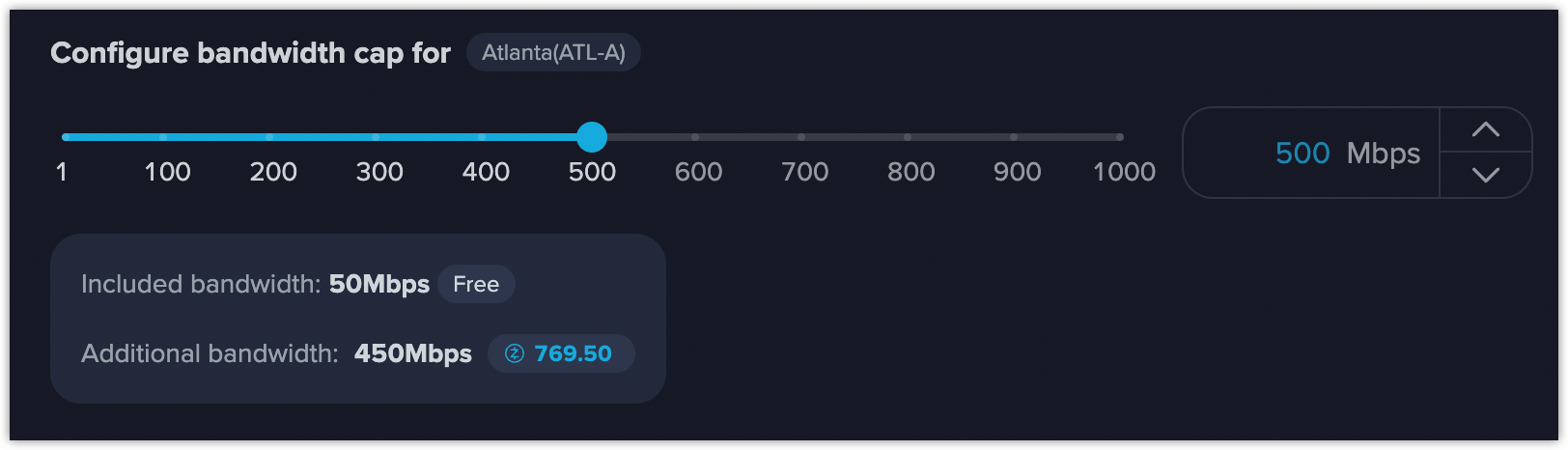
You are billed by the flat rate bandwidth. Drag to select your desired bandwidth cap for your stable business with little bursty traffic, and use unlimited data transfer.
## Burstable 95th
Billed by Burstable 95th Bandwidth
You use the bandwidth first and pay afterward by month. If you have a base commit rate, you need to pre-pay that part first. The system samples the peak bandwidth of each instance monthly, and discard the top 5% of the samples. The highest value left is taken as your actual bandwidth usage.