> For the complete documentation index, see [llms.txt](https://docs.console.zenlayer.com/welcome/llms.txt). Markdown versions of documentation pages are available by appending `.md` to page URLs; this page is available as [Markdown](https://docs.console.zenlayer.com/welcome/content-delivery-network/analysis/operation-reports.md).
# Operation Reports
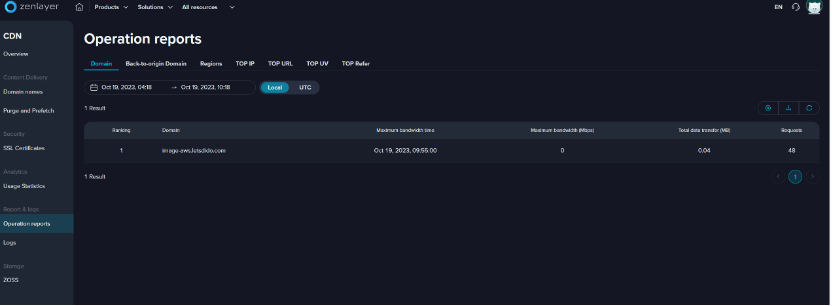
* Domain\
Top 100 domain names based on peak bandwidth value during the selected time.
* Back-to-origin Domain\
Top 100 origin domain names based on peak bandwidth value during the selected time.
* Top IP\
Top 100 user IP based on the times of visit to the selected domain name on the selected day.
* TOP URL\
Top 100 files in the selected domain name based on the times of request on the selected day.
* TOP UV
* Top 100 domain names based on the number of unique visitors on the selected day.
* Unique visitor refers to the number of distinct individuals requesting pages during a given period, regardless of how often they visit.
* TOP Refer
* Top 100 referrers for the selected domain name based on the number of requests on the selected day.
* Referrer refers to the webpage from where the request is jumped, such as Google search.
{% hint style="info" %} **Note**
All the ranking reports can be exported by click  .
{% endhint %}
.
{% endhint %}