> For the complete documentation index, see [llms.txt](https://docs.console.zenlayer.com/welcome/llms.txt). Markdown versions of documentation pages are available by appending `.md` to page URLs; this page is available as [Markdown](https://docs.console.zenlayer.com/welcome/cloud-networking/get-started/create-a-layer-3-connection/select-a-vpc-as-access-point.md).
# Bare Metal Network Access Type
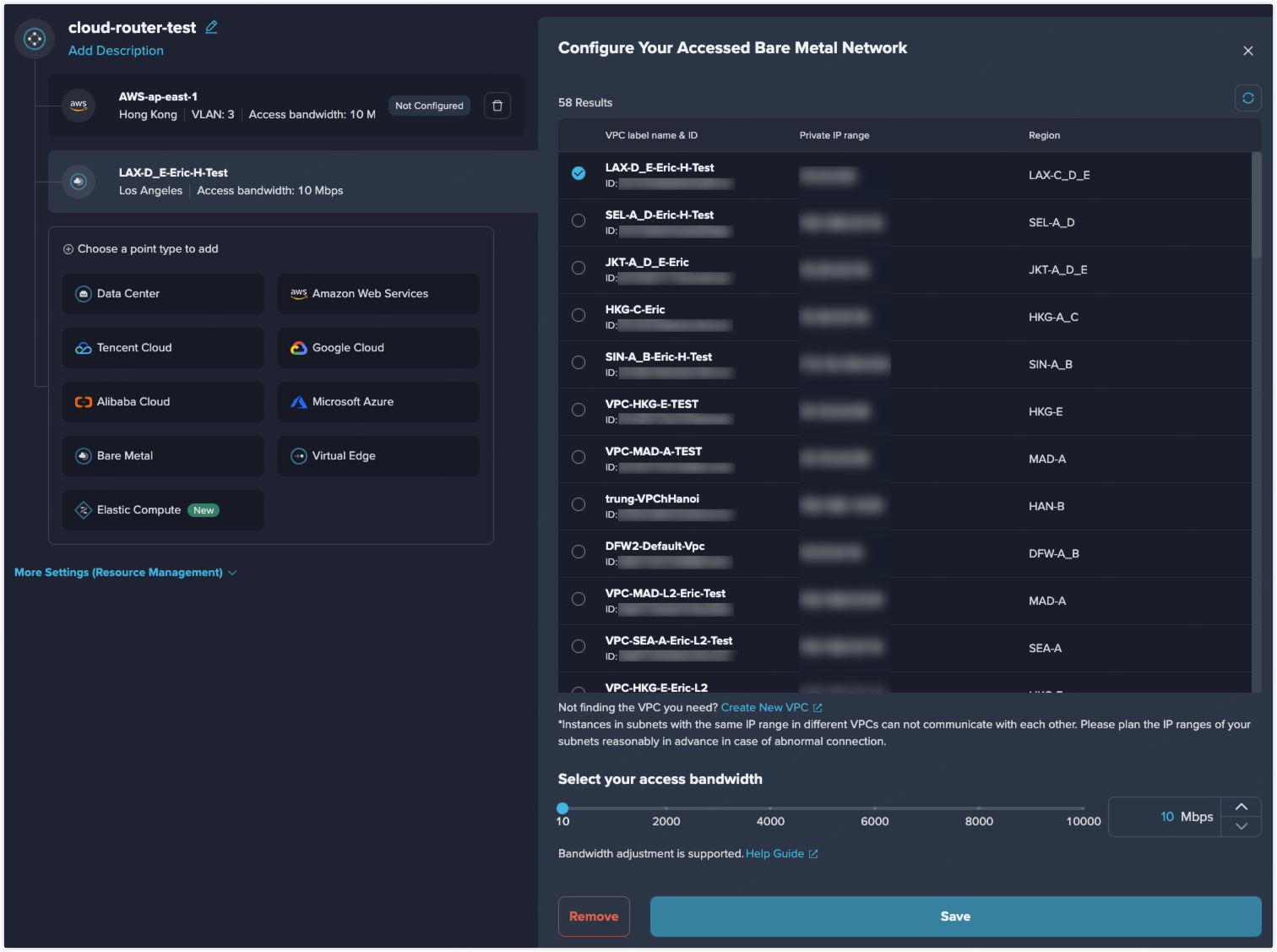
The following configurations are applicable to bare metal VPC connection. You can connect to an existing VPC created before, or create a new one.
Bare Metal Network Connection
If you have created a [**VPC**](/welcome/bare-metal/overview/private-network/virtual-private-cloud.md), and you want resources in this VPC can communicate with other resources in your data center or infrastructures in your public cloud, add this VPC as an access point into a cloud router.
If you haven't got your desired VPC, you can click **Create New VPC** to create a new one. See [**VPC Creation**](/welcome/bare-metal/get-started/create-a-virtual-private-cloud.md) for more details.
{% hint style="info" %} **Note**
There are subnets in a VPC and instances in subnets with the same IP range can not communicate with each other. Please plan the IP ranges of your subnets reasonably in advance in case of abnormal connection.
{% endhint %}