> For the complete documentation index, see [llms.txt](https://docs.console.zenlayer.com/welcome/llms.txt). Markdown versions of documentation pages are available by appending `.md` to page URLs; this page is available as [Markdown](https://docs.console.zenlayer.com/welcome/cloud-networking/get-started/validate-connection-in-public-cloud/microsoft-azure-cloud-configuration.md).
# Microsoft Azure Cloud Configuration
If your public cloud provider is Microsoft Azure Cloud, you need to [**Create an ExpressRoute Circuit**](https://learn.microsoft.com/en-us/azure/expressroute/expressroute-howto-circuit-portal-resource-manager?pivots=expressroute-current#create) first on Azure Cloud console, generate a **service key** and share it to Zenlayer. The general steps are listed below.
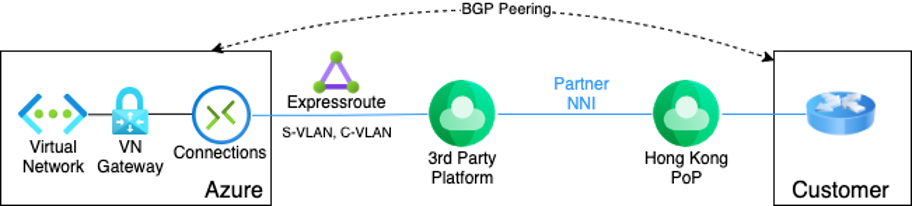
Azure ExpressRoute Connection via 3rd Party Provider
## Prerequisites
1. Zenlayer support service providers like [**Equinix**](https://www.equinix.com/partners/microsoft-azure/) and [**Megaport**](https://www.megaport.com/services/microsoft-expressroute/). View [**available locations**](https://learn.microsoft.com/en-us/azure/expressroute/expressroute-locations#global-commercial-azure) supported by these providers.
2. Your ExpressRoute circuit is billed from the moment a service key is issued. Ensure that you perform this operation when the connectivity provider is ready to provision the circuit.
## **On Azure Cloud Console**
1. [**Create an ExpressRoute circuit**](https://learn.microsoft.com/en-us/azure/expressroute/expressroute-howto-circuit-portal-resource-manager?pivots=expressroute-current#create)
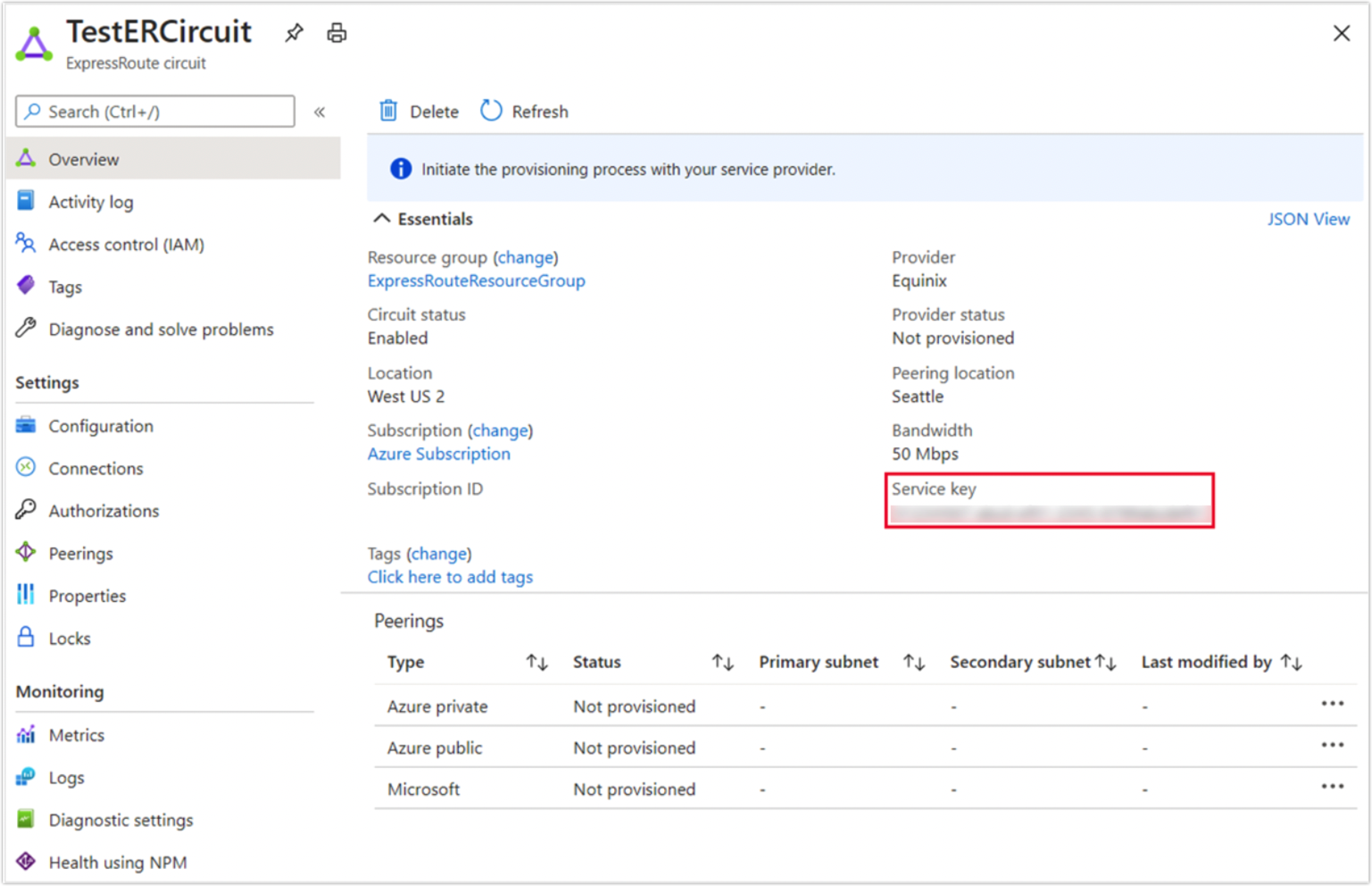
2. View the properties to find the **Service Key**.
Service Key
## **On Zenlayer Console**
Use the service key generated on Azure Cloud to create cloud connect.
* [**Layer 2 connection**](/welcome/cloud-networking/get-started/create-a-layer-2-connection/select-a-public-cloud-as-access-point.md)
* [**Layer 3 connection**](/welcome/cloud-networking/get-started/create-a-layer-3-connection/select-a-public-cloud-as-access-point.md)
## **Go Back to Azure Cloud Console**
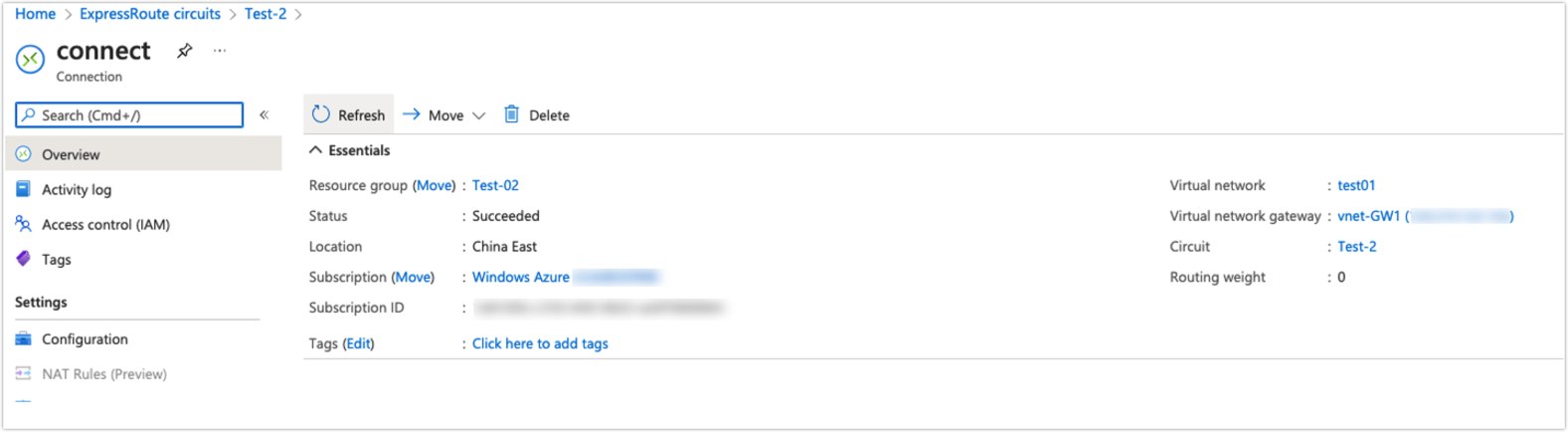
1. [**Connect a virtual network to your ExpressRoute circuit**](https://learn.microsoft.com/en-us/azure/expressroute/expressroute-howto-linkvnet-portal-resource-manager?pivots=expressroute-current)
2. [**Configure a virtual network gateway for your ExpressRoute circuit**](https://learn.microsoft.com/en-us/azure/expressroute/expressroute-howto-add-gateway-portal-resource-manager)