> For the complete documentation index, see [llms.txt](https://docs.console.zenlayer.com/welcome/llms.txt). Markdown versions of documentation pages are available by appending `.md` to page URLs; this page is available as [Markdown](https://docs.console.zenlayer.com/welcome/content-delivery-network/domain-management/cdn-settings/configure-an-origin-server.md).
# Configure an Origin Server
1. Click one domain name on the domain list.
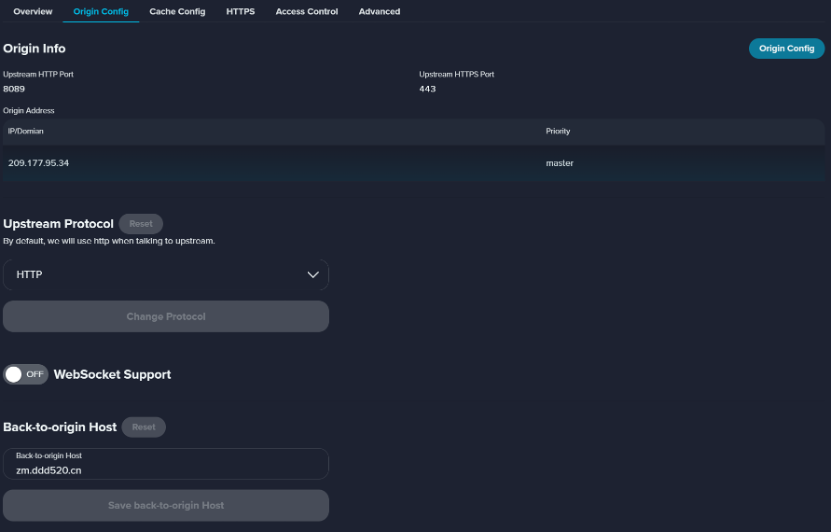
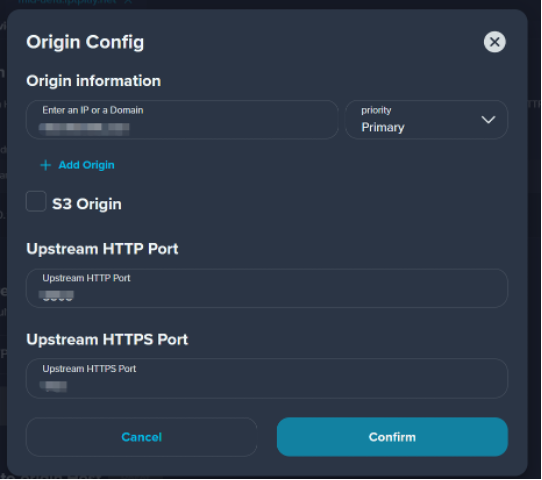
2. Click **Origin Config**. You can modify the origin server, and upstream port.
**Origin Priority**\
\- Primary Origin: The address of a basic origin is the default address of the origin server used for back-to-origin routing.\
\- Secondary Origin: When the primary origin server cannot be connected, the second origin server will be activated.